pintree3
Without getting much luck on other forums (Adobe, AMD and XFX) I thought I would give here a try since it has always been reliable (possibly should have come here first)
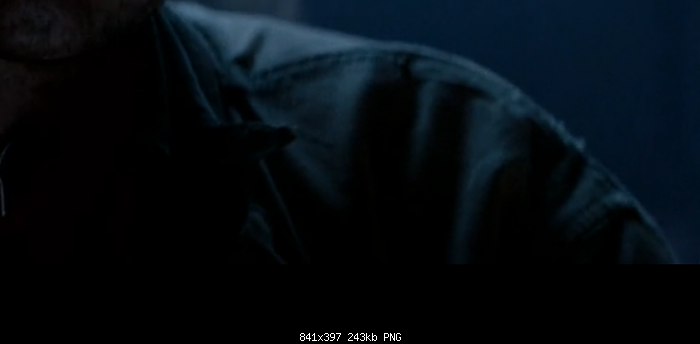
Though I see great shadows and blacks on my photo viewers (Xnview and Photoshop) I have lousy details in my blacks and shadows when viewing movies or playing video games. Usually you can see how a black goes to a lesser black and eventually to other detail. All I see instead is like a blob (with an actual outline) and then something else.
I have tried various video games and also various media players including: Windows MP, VLC, GOM and PotPlayer.
I have attached a photo here taken with Windows' Snipping Tool, but, of course, it does not really give you the exact results as I view them.
Here are my specs if it helps any:
OS: Windows 7 Home Premium
video card: Radeon HD 7850 - XFX DD , FX-785A-ZNL4
Monitor : ViewSonic VX2453 Series
Mother Board: ASUSTeK P7P55D-E LX
The video drivers are from AMD Catalyst
and the specs there are:
Properties digital flat panel: 1920 X 1080 75Hz
PPixel format: RGB 4:4:4 Pixel Format PC standard (Full RGB)
VIDEO
Basic video color: Use video player settings
Advanced Video color
Vibrance: 40
Flesh tone correction> 50
Brighter whites: checked
Dynamic range: checked (full (0-255)
Though I see great shadows and blacks on my photo viewers (Xnview and Photoshop) I have lousy details in my blacks and shadows when viewing movies or playing video games. Usually you can see how a black goes to a lesser black and eventually to other detail. All I see instead is like a blob (with an actual outline) and then something else.
I have tried various video games and also various media players including: Windows MP, VLC, GOM and PotPlayer.
I have attached a photo here taken with Windows' Snipping Tool, but, of course, it does not really give you the exact results as I view them.
Here are my specs if it helps any:
OS: Windows 7 Home Premium
video card: Radeon HD 7850 - XFX DD , FX-785A-ZNL4
Monitor : ViewSonic VX2453 Series
Mother Board: ASUSTeK P7P55D-E LX
The video drivers are from AMD Catalyst
and the specs there are:
Properties digital flat panel: 1920 X 1080 75Hz
PPixel format: RGB 4:4:4 Pixel Format PC standard (Full RGB)
VIDEO
Basic video color: Use video player settings
Advanced Video color
Vibrance: 40
Flesh tone correction> 50
Brighter whites: checked
Dynamic range: checked (full (0-255)