dalyndawg
Hello,
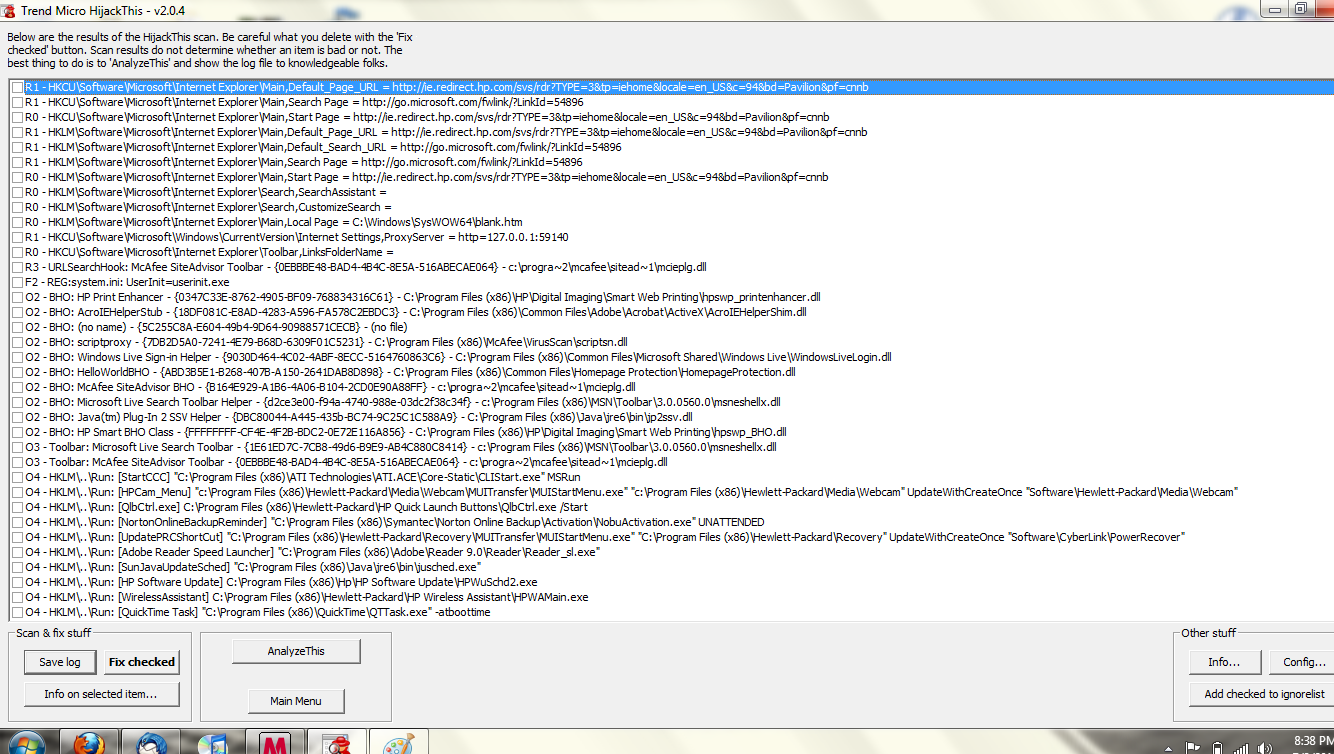
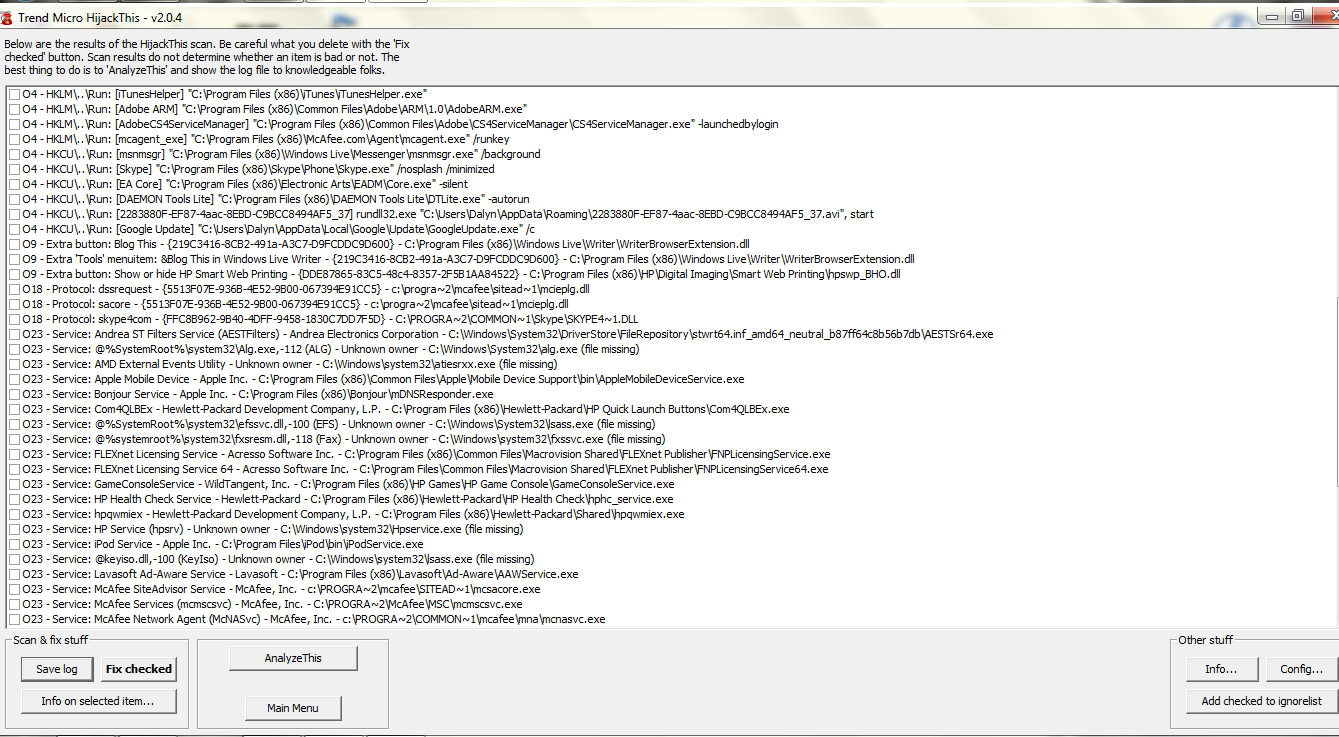
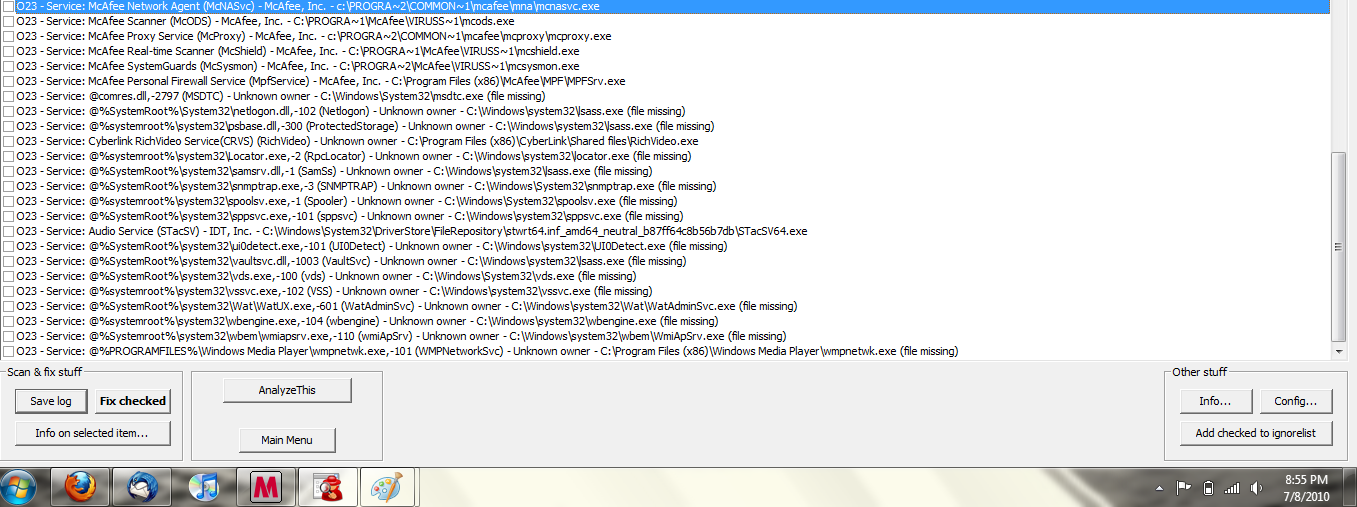
I'm assuming i have malware. I first noticed when google was getting redirects. I looked it up on another computer, and ended up cleaning up that problem by changing some code in a host file. The problem began to become more clear because now i cannot click on google links. To open the page, i have to view cached or whatever. It wasnt that much of a problem, so i just let it go. Now im noticing only some programs are being granted access to the internet. Firefox, Thunderbird, Utorrent, and Jdownloader are the only programs being allowed access to the internet. My McAfee will not update, Spybot will download, but will not install after trying to download, MSN will not connect, Itunes, and any other online malware scanner will not. I downloading Hijackthis, and scanned, but cannot save the coding in a text file, so i had to screen shot it all. Please Help!
The bottom picture is first, then the middle. the top picture is the end.
I'm assuming i have malware. I first noticed when google was getting redirects. I looked it up on another computer, and ended up cleaning up that problem by changing some code in a host file. The problem began to become more clear because now i cannot click on google links. To open the page, i have to view cached or whatever. It wasnt that much of a problem, so i just let it go. Now im noticing only some programs are being granted access to the internet. Firefox, Thunderbird, Utorrent, and Jdownloader are the only programs being allowed access to the internet. My McAfee will not update, Spybot will download, but will not install after trying to download, MSN will not connect, Itunes, and any other online malware scanner will not. I downloading Hijackthis, and scanned, but cannot save the coding in a text file, so i had to screen shot it all. Please Help!
The bottom picture is first, then the middle. the top picture is the end.