This is a read-only archive of malwareremoval.com. No new posts or registrations. Privacy Page
Malware Removal Forums

Hijacked computer

78 min read

This thread's last reply is from October 22, 2009, 8:42 AM UTC. Software, malware, and removal-tool advice below may be out of date — treat specific steps and download links with caution.

Hi, the problem I'm occurring with my computer has to do with a couple different things. First, when I power up my PC, a black screen is present and for a split second shows in the upper left corner "Invalid Boot.INI File" and underneath that "booting from C:/windows." I find this a bit odd since I've never seen this before on startup. Secondly, "System Restore" has been disabled without my consent. I do not have any restore points and even though I'm using the max. amount of disk space. Also under Display Properties, my desktop background is grayed out and will not let me select or browse for anything to display in the background. The virus occured when I was on Vuze.com website and viewing a bittorrent from mininova. All of a sudden I was getting alerts from Windows Security center sporatically stating I did not have any Virus Protection even though I have Trend Micro Internet Security 2008. I sent a hijackthis log to technical support at Trend, and did what they told me to do. Although, I've still got the above issues. Also every so often a radio station will appear through my speakers and I'm suspecting it to be coming from iexplore.exe because I've noticed activity through Task Manager. One last thing that is happening is when the computer starts up and my desktop appears, Internet Explorer automatically runs with popeo.com website. Below is my hijackthis log file. Any and all help is appreciated!

Logfile of Trend Micro HijackThis v2.0.2
Scan saved at 2:34:02 PM, on 9/26/2009
Platform: Windows XP SP3 (WinNT 5.01.2600)
MSIE: Internet Explorer v8.00 (8.00.6001.18702)
Boot mode: Normal

Running processes:
C:\windows\System32\smss.exe
C:\windows\system32\winlogon.exe
C:\windows\system32\services.exe
C:\windows\system32\lsass.exe
C:\windows\system32\svchost.exe
C:\windows\System32\svchost.exe
C:\windows\system32\spoolsv.exe
C:\windows\Explorer.EXE
C:\Program Files\Internet Explorer\IEXPLORE.EXE
C:\Program Files\Intel\NCS\PROSet\PRONoMgr.exe
C:\Program Files\Gateway\Gateway Ink Monitor\GWInkMonitor.exe
C:\Program Files\HP\HP Software Update\HPWuSchd2.exe
C:\Program Files\Trend Micro\Internet Security\UfSeAgnt.exe
C:\windows\system32\RUNDLL32.EXE
C:\Program Files\QuickTime\qttask.exe
C:\windows\system32\ctfmon.exe
C:\Program Files\Trend Micro\Internet Security\TMAS_OE\TMAS_OEMon.exe
C:\Program Files\HP\Digital Imaging\bin\hpqtra08.exe
C:\windows\system32\rundll32.exe
C:\WINDOWS\system32\bgsvcgen.exe
C:\Program Files\HP\Digital Imaging\bin\hpqgalry.exe
C:\windows\system32\svchost.exe
C:\windows\system32\nvsvc32.exe
C:\Program Files\Common Files\Lanovation\PrismXL\PRISMXL.SYS
C:\Program Files\Trend Micro\Internet Security\SfCtlCom.exe
C:\windows\System32\svchost.exe
C:\Program Files\Trend Micro\BM\TMBMSRV.exe
C:\Program Files\Internet Explorer\IEXPLORE.EXE
C:\PROGRA~1\TRENDM~1\INTERN~1\TmPfw.exe
C:\Program Files\Trend Micro\Internet Security\TmProxy.exe
C:\Program Files\Internet Explorer\Iexplore.exe
C:\Documents and Settings\Owner\Desktop\HijackThis.exe

R1 - HKCU\Software\Microsoft\Internet Explorer\Main,Default_Page_URL = http://www.yahoo.com
R0 - HKCU\Software\Microsoft\Internet Explorer\Main,Start Page = http://www.yahoo.com/
R1 - HKLM\Software\Microsoft\Internet Explorer\Main,Default_Page_URL = http://go.microsoft.com/fwlink/?LinkId=69157
R0 - HKLM\Software\Microsoft\Internet Explorer\Main,Start Page = about:blank
R1 - HKCU\Software\Microsoft\Internet Connection Wizard,ShellNext = http://www.gatewaybiz.com/
R3 - URLSearchHook: Yahoo! Toolbar - {EF99BD32-C1FB-11D2-892F-0090271D4F88} - C:\Program Files\Yahoo!\Companion\Installs\cpn\yt.dll
O2 - BHO: &Yahoo! Toolbar Helper - {02478D38-C3F9-4efb-9B51-7695ECA05670} - C:\Program Files\Yahoo!\Companion\Installs\cpn\yt.dll
O3 - Toolbar: Yahoo! Toolbar - {EF99BD32-C1FB-11D2-892F-0090271D4F88} - C:\Program Files\Yahoo!\Companion\Installs\cpn\yt.dll
O4 - HKLM\..\Run: [PRONoMgr.exe] C:\Program Files\Intel\NCS\PROSet\PRONoMgr.exe
O4 - HKLM\..\Run: [Gateway Ink Monitor] "C:\Program Files\Gateway\Gateway Ink Monitor\GWInkMonitor.exe"
O4 - HKLM\..\Run: [HP Software Update] "C:\Program Files\HP\HP Software Update\HPWuSchd2.exe"
O4 - HKLM\..\Run: [UfSeAgnt.exe] "C:\Program Files\Trend Micro\Internet Security\UfSeAgnt.exe"
O4 - HKLM\..\Run: [NvCplDaemon] RUNDLL32.EXE C:\WINDOWS\system32\NvCpl.dll,NvStartup
O4 - HKLM\..\Run: [nwiz] nwiz.exe /install
O4 - HKLM\..\Run: [NvMediaCenter] RUNDLL32.EXE C:\WINDOWS\system32\NvMcTray.dll,NvTaskbarInit
O4 - HKLM\..\Run: [QuickTime Task] "C:\Program Files\QuickTime\qttask.exe" -atboottime
O4 - HKLM\..\Run: [NeroFilterCheck] C:\WINDOWS\system32\NeroCheck.exe
O4 - HKLM\..\Run: [WinampAgent] "C:\Program Files\Winamp\winampa.exe"
O4 - HKLM\..\Run: [Crutopit] rundll32.exe "C:\WINDOWS\eniteboy.dll",Startup
O4 - HKCU\..\Run: [MSMSGS] "C:\Program Files\Messenger\MSMSGS.EXE" /background
O4 - HKCU\..\Run: [ctfmon.exe] C:\windows\system32\ctfmon.exe
O4 - HKCU\..\Run: [DriverCure] C:\Program Files\ParetoLogic\DriverCure\DriverCure.exe -scan
O4 - HKCU\..\Run: [OE] "C:\Program Files\Trend Micro\Internet Security\TMAS_OE\TMAS_OEMon.exe"
O4 - Global Startup: HP Digital Imaging Monitor.lnk = C:\Program Files\HP\Digital Imaging\bin\hpqtra08.exe
O4 - Global Startup: HP Image Zone Fast Start.lnk = C:\Program Files\HP\Digital Imaging\bin\hpqthb08.exe
O4 - Global Startup: Microsoft Office.lnk = C:\Program Files\Microsoft Office\Office10\OSA.EXE
O4 - Global Startup: Picture Package Menu.lnk = ?
O4 - Global Startup: Picture Package VCD Maker.lnk = ?
O9 - Extra button: (no name) - {08B0E5C0-4FCB-11CF-AAA5-00401C608501} - C:\WINDOWS\System32\msjava.dll
O9 - Extra 'Tools' menuitem: Sun Java Console - {08B0E5C0-4FCB-11CF-AAA5-00401C608501} - C:\WINDOWS\System32\msjava.dll
O9 - Extra button: Real.com - {CD67F990-D8E9-11d2-98FE-00C0F0318AFE} - C:\WINDOWS\System32\Shdocvw.dll
O9 - Extra button: (no name) - {e2e2dd38-d088-4134-82b7-f2ba38496583} - C:\windows\Network Diagnostic\xpnetdiag.exe
O9 - Extra 'Tools' menuitem: @xpsp3res.dll,-20001 - {e2e2dd38-d088-4134-82b7-f2ba38496583} - C:\windows\Network Diagnostic\xpnetdiag.exe
O16 - DPF: {01113300-3E00-11D2-8470-0060089874ED} (Support.com Configuration Class) - http://supportcenter.rr.com/sdccommon/download/tgctlcm.cab
O16 - DPF: {0CCA191D-13A6-4E29-B746-314DEE697D83} (Facebook Photo Uploader 5 Control) - http://upload.facebook.com/controls/2008.10.10_v5.5.8/FacebookPhotoUploader5.cab
O16 - DPF: {1E54D648-B804-468d-BC78-4AFFED8E262E} (System Requirements Lab) - http://www.nvidia.com/content/DriverDownload/srl/3.0.0.0/srl_bin/sysreqlab3.cab
O23 - Service: B's Recorder GOLD Library General Service (bgsvcgen) - B.H.A Corporation - C:\WINDOWS\system32\bgsvcgen.exe
O23 - Service: Google Update Service (gupdate1c9f83192256a02) (gupdate1c9f83192256a02) - Google Inc. - C:\Program Files\Google\Update\GoogleUpdate.exe
O23 - Service: Intel NCS NetService (NetSvc) - Intel(R) Corporation - C:\Program Files\Intel\NCS\Sync\NetSvc.exe
O23 - Service: NVIDIA Display Driver Service (NVSvc) - NVIDIA Corporation - C:\windows\system32\nvsvc32.exe
O23 - Service: Pml Driver HPZ12 - HP - C:\WINDOWS\System32\HPZipm12.exe
O23 - Service: PrismXL - New Boundary Technologies, Inc. - C:\Program Files\Common Files\Lanovation\PrismXL\PRISMXL.SYS
O23 - Service: Trend Micro Central Control Component (SfCtlCom) - Trend Micro Inc. - C:\Program Files\Trend Micro\Internet Security\SfCtlCom.exe
O23 - Service: SupportSoft RemoteAssist - SupportSoft, Inc. - C:\Program Files\Common Files\supportsoft\bin\ssrc.exe
O23 - Service: Trend Micro Unauthorized Change Prevention Service (TMBMServer) - Trend Micro Inc. - C:\Program Files\Trend Micro\BM\TMBMSRV.exe
O23 - Service: Trend Micro Personal Firewall (TmPfw) - Trend Micro Inc. - C:\PROGRA~1\TRENDM~1\INTERN~1\TmPfw.exe
O23 - Service: Trend Micro Proxy Service (tmproxy) - Trend Micro Inc. - C:\Program Files\Trend Micro\Internet Security\TmProxy.exe

--
End of file - 6629 bytes

[3days:1xnsizh9][/3days:1xnsizh9]
Hello and welcome to Malware Removal Forums

IMPORTANT

Whatever repairs we make, are for fixing your computer problems only and by no means should be used on another computer.
To make cleaning this machine easier:-
  • Continue to respond to this thread until I give you the All Clean!
  • Please DO NOT uninstall/install any programs unless asked to. It is more difficult when files/programs appear or disappear from the logs.
  • Please do not run any scans other than those requested and do not post any logs/reports unless specifically requested to do so.
  • Please follow all instructions in the order posted.
  • If you have any questions or do not understand instructions, please ask before continuing.
  • Please reply to this thread. Do not start a new topic.


Make an uninstall list using HijackThis
To access the Uninstall Manager you would do the following:
  • Start HijackThis
  • Click on the Config button
  • Click on the Misc Tools button
  • Click on the Open Uninstall Manager button.
  • Click on the Save list... button and specify where you would like to save this file. When you press Save button a notepad will open with the contents of that file. Save the file to your desktop.


Please post this log on your next reply.

Please download Malwarebytes' Anti-Malware and save to your desktop.

  • Double-click mbam-setup.exe and follow the prompts to install the program.
  • At the end, be sure a checkmark is placed next to:

    Update Malwarebytes' Anti-Malware
    Launch Malwarebytes' Anti-Malware
  • Then click Finish.
  • If an update is found, it will download and install the latest version.
  • Once the program has loaded, select Perform Full scan, then click Scan.
  • When the scan is complete, click OK, then Show Results to view the results.
  • Be sure that everything is checked, and click Remove Selected.
  • When completed, a log will open in Notepad. Please copy and paste the log back into your next reply

    Note:
  • The log can also be found here:
    C:\Documents and Settings\Username\Application Data\Malwarebytes\Malwarebytes' Anti-Malware\Logs\mbam-log-date (time).txt
  • Or via the Logs tab when Malwarebytes' Anti-Malware is started.


NEXT Download and Run: RSIT

  • Download random's system information tool (RSIT) by random/random from here and save it to your desktop.
  • Double click on RSIT.exe to run RSIT.
  • Click Continue at the disclaimer screen.
  • Once it has finished, two logs will open. Please post the contents of both log.txt (<<will be maximized) and info.txt (<<will be minimized)


Please reply with:-
  • Uninstall list
  • MBAM log
  • RSIT logs ( info.txt and log.txt)
Hi, below is the Hijack this unistall log. mbam-setup.exe would not open after I downloaded it from the website. I saved it to my desktop, double clicked on it, it showed the hour glass for approx. 3 seconds, then it wouldn't open to install the program. Also was unable to download RSIT. Moved cursor over "Download and run:RSIT" and cursor showed an I, couldn't click on it.

7-Zip 4.65
Adobe Flash Player ActiveX
Adobe Reader 6.0
Critical Update for Windows Media Player 11 (KB959772)
dBpoweramp Music Converter
DoMore
Gateway Drivers and Applications Recovery
Gateway IE Customizations
Gateway Ink Monitor
Gateway User's Guide
Google Update Helper
HijackThis 2.0.2
Hotfix for Windows Media Format 11 SDK (KB929399)
Hotfix for Windows Media Player 11 (KB939683)
Hotfix for Windows XP (KB952287)
Hotfix for Windows XP (KB970653-v3)
HP Extended Capabilities 4.7
HP Image Zone 4.7
HP PSC & OfficeJet 4.7
HP PSC 1600 series
HP Software Update
ImgBurn
Intel(R) 537EP Data Fax Modem
Intel(R) PRO Network Adapters and Drivers
Intel(R) PROSet
Java 2 Runtime Environment, SE v1.4.2
Label Maker Wizard 2.05
Learn2 Player (Uninstall Only)
Microsoft .NET Framework 1.1
Microsoft .NET Framework 1.1 Hotfix (KB928366)
Microsoft Compression Client Pack 1.0 for Windows XP
Microsoft Encarta Encyclopedia Standard 2004
Microsoft Internationalized Domain Names Mitigation APIs
Microsoft National Language Support Downlevel APIs
Microsoft Office Excel Viewer
Microsoft User-Mode Driver Framework Feature Pack 1.0
Microsoft Word 2002
Microsoft Works
Microsoft Works 2004 Setup Launcher
Microsoft Works Suite Add-in for Microsoft Word
Mozilla Firefox (3.5.3)
MSXML 4.0 SP2 (KB936181)
MSXML 4.0 SP2 (KB954430)
MUSICMATCH® Jukebox
Nero Media Player
Nero OEM
NeroVision Express 2
NVIDIA Drivers
PC-Doctor for Windows
Picture Package
Protection System
QuickTime
RealPlayer Basic
RegiCleanse System Optimizer
Security Update for Windows Internet Explorer 7 (KB938127)
Security Update for Windows Internet Explorer 7 (KB938127-v2)
Security Update for Windows Internet Explorer 7 (KB950759)
Security Update for Windows Internet Explorer 7 (KB953838)
Security Update for Windows Internet Explorer 7 (KB956390)
Security Update for Windows Internet Explorer 7 (KB958215)
Security Update for Windows Internet Explorer 7 (KB960714)
Security Update for Windows Internet Explorer 7 (KB961260)
Security Update for Windows Internet Explorer 7 (KB963027)
Security Update for Windows Internet Explorer 8 (KB969897)
Security Update for Windows Internet Explorer 8 (KB971961)
Security Update for Windows Internet Explorer 8 (KB972260)
Security Update for Windows Media Player (KB952069)
Security Update for Windows Media Player (KB968816)
Security Update for Windows Media Player (KB973540)
Security Update for Windows Media Player 11 (KB936782)
Security Update for Windows Media Player 11 (KB954154)
Security Update for Windows Media Player 9 (KB917734)
Security Update for Windows XP (KB923561)
Security Update for Windows XP (KB938464)
Security Update for Windows XP (KB938464-v2)
Security Update for Windows XP (KB941569)
Security Update for Windows XP (KB946648)
Security Update for Windows XP (KB950760)
Security Update for Windows XP (KB950762)
Security Update for Windows XP (KB950974)
Security Update for Windows XP (KB951066)
Security Update for Windows XP (KB951376-v2)
Security Update for Windows XP (KB951698)
Security Update for Windows XP (KB951748)
Security Update for Windows XP (KB952004)
Security Update for Windows XP (KB952954)
Security Update for Windows XP (KB953839)
Security Update for Windows XP (KB954211)
Security Update for Windows XP (KB954459)
Security Update for Windows XP (KB954600)
Security Update for Windows XP (KB955069)
Security Update for Windows XP (KB956391)
Security Update for Windows XP (KB956572)
Security Update for Windows XP (KB956744)
Security Update for Windows XP (KB956802)
Security Update for Windows XP (KB956803)
Security Update for Windows XP (KB956841)
Security Update for Windows XP (KB956844)
Security Update for Windows XP (KB957095)
Security Update for Windows XP (KB957097)
Security Update for Windows XP (KB958644)
Security Update for Windows XP (KB958687)
Security Update for Windows XP (KB958690)
Security Update for Windows XP (KB959426)
Security Update for Windows XP (KB960225)
Security Update for Windows XP (KB960715)
Security Update for Windows XP (KB960803)
Security Update for Windows XP (KB960859)
Security Update for Windows XP (KB961371)
Security Update for Windows XP (KB961373)
Security Update for Windows XP (KB961501)
Security Update for Windows XP (KB968537)
Security Update for Windows XP (KB969898)
Security Update for Windows XP (KB970238)
Security Update for Windows XP (KB971557)
Security Update for Windows XP (KB971633)
Security Update for Windows XP (KB971657)
Security Update for Windows XP (KB973346)
Security Update for Windows XP (KB973354)
Security Update for Windows XP (KB973507)
Security Update for Windows XP (KB973869)
Shockwave
Sony USB Driver
System Requirements Lab
Trend Micro Internet Security
TWC Customer Controls
Update for Windows Internet Explorer 8 (KB971180)
Update for Windows XP (KB942763)
Update for Windows XP (KB951072-v2)
Update for Windows XP (KB951978)
Update for Windows XP (KB955839)
Update for Windows XP (KB967715)
Update for Windows XP (KB973815)
Viewpoint Media Player
VLC media player 1.0.1
Vuze
Windows Backup Utility
Windows Internet Explorer 8
Windows Media Format 11 runtime
Windows Media Player 11
Windows XP Service Pack 3
WinRAR archiver
Yahoo! Search Suggest Add-on for IE7
Yahoo! Toolbar
IMPORTANT I notice there are signs of one or more P2P (Peer to Peer) File Sharing Programs on your computer.

Vuze

I'd like you to read the MRU policy for P2P Programs.

Please go to Control Panel > Add/Remove Programs and uninstall the programs listed above (in red).

While in ADD/REMOVE programs please also uninstall the following:-
    Protection System
    Viewpoint Media Player


Once the above is done try re-naming MBAM to see if it will run.

NEXT Please rename it as explained below

1. Right click Start - Click Explore
2. Navigate to: c:\program files\malwarebytes' Anti-Malware Right click on mbam.exe - click Rename
3. Type into the name box: muppy.exe

Please reply with:-
  • MBAM log
  • New HJT log
Hi, I did what you asked me to, changed to muppy.exe. I was able to run the full scan with mbam. During the scan up until the end it showed 19 infected objects. When the full scan ended, mbam closed itself so I was not able to see the results. I went back into "Logs" and there was nothing there. I performed the full scan twice to make sure there wasn't a glitch with the 1st. Same thing happened. Below is the new hijack this log.

Logfile of Trend Micro HijackThis v2.0.2
Scan saved at 10:57:46 AM, on 10/3/2009
Platform: Windows XP SP3 (WinNT 5.01.2600)
MSIE: Internet Explorer v8.00 (8.00.6001.18702)
Boot mode: Normal

Running processes:
C:\windows\System32\smss.exe
C:\windows\system32\winlogon.exe
C:\windows\system32\services.exe
C:\windows\system32\lsass.exe
C:\windows\system32\svchost.exe
C:\windows\System32\svchost.exe
C:\windows\system32\spoolsv.exe
C:\windows\Explorer.EXE
C:\windows\system32\svchost.exe
C:\windows\system32\nvsvc32.exe
C:\Program Files\Trend Micro\Internet Security\SfCtlCom.exe
C:\windows\System32\svchost.exe
C:\Program Files\Trend Micro\BM\TMBMSRV.exe
C:\Program Files\Trend Micro\Internet Security\UfSeAgnt.exe
C:\windows\system32\ctfmon.exe
C:\PROGRA~1\TRENDM~1\INTERN~1\TmPfw.exe
C:\Program Files\Trend Micro\Internet Security\TmProxy.exe
C:\Program Files\Intel\NCS\PROSet\PRONoMgr.exe
C:\Program Files\HP\HP Software Update\HPWuSchd2.exe
C:\windows\system32\RUNDLL32.EXE
C:\Program Files\QuickTime\qttask.exe
C:\Program Files\HP\Digital Imaging\bin\hpqtra08.exe
C:\Program Files\Sony Corporation\Picture Package\Picture Package Applications\Residence.exe
C:\Program Files\HP\Digital Imaging\bin\hpqgalry.exe
C:\Program Files\Mozilla Firefox\firefox.exe
C:\Program Files\Internet Explorer\Iexplore.exe
C:\Documents and Settings\Owner\Desktop\HijackThis.exe

R1 - HKLM\Software\Microsoft\Internet Explorer\Main,Default_Page_URL = http://go.microsoft.com/fwlink/?LinkId=69157
R1 - HKCU\Software\Microsoft\Internet Connection Wizard,ShellNext = http://www.gatewaybiz.com/
R3 - URLSearchHook: Yahoo! Toolbar - {EF99BD32-C1FB-11D2-892F-0090271D4F88} - C:\Program Files\Yahoo!\Companion\Installs\cpn\yt.dll
O2 - BHO: &Yahoo! Toolbar Helper - {02478D38-C3F9-4efb-9B51-7695ECA05670} - C:\Program Files\Yahoo!\Companion\Installs\cpn\yt.dll
O2 - BHO: (no name) - {edb510fb-305c-a090-64fd-8288a02a829d} - C:\WINDOWS\eniteboy.dll
O3 - Toolbar: Yahoo! Toolbar - {EF99BD32-C1FB-11D2-892F-0090271D4F88} - C:\Program Files\Yahoo!\Companion\Installs\cpn\yt.dll
O4 - HKLM\..\Run: [PRONoMgr.exe] C:\Program Files\Intel\NCS\PROSet\PRONoMgr.exe
O4 - HKLM\..\Run: [HP Software Update] "C:\Program Files\HP\HP Software Update\HPWuSchd2.exe"
O4 - HKLM\..\Run: [UfSeAgnt.exe] "C:\Program Files\Trend Micro\Internet Security\UfSeAgnt.exe"
O4 - HKLM\..\Run: [NvCplDaemon] RUNDLL32.EXE C:\WINDOWS\system32\NvCpl.dll,NvStartup
O4 - HKLM\..\Run: [NvMediaCenter] RUNDLL32.EXE C:\WINDOWS\system32\NvMcTray.dll,NvTaskbarInit
O4 - HKLM\..\Run: [QuickTime Task] "C:\Program Files\QuickTime\qttask.exe" -atboottime
O4 - HKLM\..\Run: [NeroFilterCheck] C:\WINDOWS\system32\NeroCheck.exe
O4 - HKLM\..\Run: [Crutopit] rundll32.exe "C:\WINDOWS\eniteboy.dll",Startup
O4 - HKLM\..\Run: [UserFaultCheck] %systemroot%\system32\dumprep 0 -u
O4 - HKLM\..\RunOnce: [Malwarebytes' Anti-Malware] C:\Program Files\Malwarebytes' Anti-Malware\mbamgui.exe /install /silent
O4 - HKCU\..\Run: [ctfmon.exe] C:\windows\system32\ctfmon.exe
O4 - Global Startup: HP Digital Imaging Monitor.lnk = C:\Program Files\HP\Digital Imaging\bin\hpqtra08.exe
O4 - Global Startup: HP Image Zone Fast Start.lnk = C:\Program Files\HP\Digital Imaging\bin\hpqthb08.exe
O4 - Global Startup: Microsoft Office.lnk = C:\Program Files\Microsoft Office\Office10\OSA.EXE
O4 - Global Startup: Picture Package Menu.lnk = ?
O4 - Global Startup: Picture Package VCD Maker.lnk = ?
O9 - Extra button: (no name) - {08B0E5C0-4FCB-11CF-AAA5-00401C608501} - C:\WINDOWS\System32\msjava.dll
O9 - Extra 'Tools' menuitem: Sun Java Console - {08B0E5C0-4FCB-11CF-AAA5-00401C608501} - C:\WINDOWS\System32\msjava.dll
O9 - Extra button: Real.com - {CD67F990-D8E9-11d2-98FE-00C0F0318AFE} - C:\WINDOWS\System32\Shdocvw.dll
O9 - Extra button: (no name) - {e2e2dd38-d088-4134-82b7-f2ba38496583} - C:\windows\Network Diagnostic\xpnetdiag.exe
O9 - Extra 'Tools' menuitem: @xpsp3res.dll,-20001 - {e2e2dd38-d088-4134-82b7-f2ba38496583} - C:\windows\Network Diagnostic\xpnetdiag.exe
O16 - DPF: {01113300-3E00-11D2-8470-0060089874ED} (Support.com Configuration Class) - http://supportcenter.rr.com/sdccommon/download/tgctlcm.cab
O16 - DPF: {0CCA191D-13A6-4E29-B746-314DEE697D83} (Facebook Photo Uploader 5 Control) - http://upload.facebook.com/controls/2008.10.10_v5.5.8/FacebookPhotoUploader5.cab
O23 - Service: Google Update Service (gupdate1c9f83192256a02) (gupdate1c9f83192256a02) - Google Inc. - C:\Program Files\Google\Update\GoogleUpdate.exe
O23 - Service: Intel NCS NetService (NetSvc) - Intel(R) Corporation - C:\Program Files\Intel\NCS\Sync\NetSvc.exe
O23 - Service: NVIDIA Display Driver Service (NVSvc) - NVIDIA Corporation - C:\windows\system32\nvsvc32.exe
O23 - Service: Pml Driver HPZ12 - HP - C:\WINDOWS\System32\HPZipm12.exe
O23 - Service: Trend Micro Central Control Component (SfCtlCom) - Trend Micro Inc. - C:\Program Files\Trend Micro\Internet Security\SfCtlCom.exe
O23 - Service: SupportSoft RemoteAssist - SupportSoft, Inc. - C:\Program Files\Common Files\supportsoft\bin\ssrc.exe
O23 - Service: Trend Micro Unauthorized Change Prevention Service (TMBMServer) - Trend Micro Inc. - C:\Program Files\Trend Micro\BM\TMBMSRV.exe
O23 - Service: Trend Micro Personal Firewall (TmPfw) - Trend Micro Inc. - C:\PROGRA~1\TRENDM~1\INTERN~1\TmPfw.exe
O23 - Service: Trend Micro Proxy Service (tmproxy) - Trend Micro Inc. - C:\Program Files\Trend Micro\Internet Security\TmProxy.exe

--
End of file - 5540 bytes
lets' try a different approach :)

Please go to Virus Total <http://www.virustotal.com/> or Jotti
and upload C:\WINDOWS\eniteboy.dll for scanning.

For Virus Total
1. Please copy and paste C:\WINDOWS\eniteboy.dll in the text box next to the Browse button.
2. Click on Send File.

For Jotti
1. Please copy and paste C:\WINDOWS\eniteboy.dll in the text box next to the Browse button.
2. Click on Submit.

Please post back the results of the scan in your next post.

GMER Rootkit Scanner
Download GMER Rootkit Scanner from here.
  • Double click the .exe file. If asked to allow gmer.sys driver to load, please consent
  • If it gives you a warning about rootkit activity and asks if you want to run scan...click on NO


    Click the image to enlarge it
  • In the right panel, you will see several boxes that have been checked. Uncheck the following ...
    • Sections
    • IAT/EAT
    • Drives/Partition other than Systemdrive (typically C:\)
    • Show All (don't miss this one)
  • Then click the Scan button & wait for it to finish
  • Once done click on the [Save..] button, and in the File name area, type in "Gmer.txt" or it will save as a .log file
  • Save it where you can easily find it, such as your desktop, and post it in reply
**Caution**
Rootkit scans often produce false positives. Do NOT take any action on any "<--- ROOKIT" entries


Please reply with:-
  • GMER log
  • New HJT log
  • Jotti results
Hi, everything went w/o a hitch :) . Below are the results.

http://www.virustotal.com/analisis/82b4de85667b9b447ee532015bfc3a869ed831e67c9f99cee70c60f72a5bb100-1254670307


Virus Total:
File eniteboy.dll received on 2009.10.04 15:31:47 (UTC)
Current status: Loading ... queued waiting scanning finished NOT FOUND STOPPED
Result: 4/41 (9.76%)
Loading server information...
Your file is queued in position: 9.
Estimated start time is between 90 and 128 seconds.
Do not close the window until scan is complete.
The scanner that was processing your file is stopped at this moment, we are going to wait a few seconds to try to recover your result.
If you are waiting for more than five minutes you have to resend your file.
Your file is being scanned by VirusTotal in this moment,
results will be shown as they're generated.
Compact Compact
Print results Print results
Your file has expired or does not exists.
Service is stopped in this moments, your file is waiting to be scanned (position: ) for an undefined time.

You can wait for web response (automatic reload) or type your email in the form below and click "request" so the system sends you a notification when the scan is finished.
Email:

Antivirus Version Last Update Result
a-squared 4.5.0.24 2009.10.04 Trojan-Downloader.Win32.Mufanom!IK
AhnLab-V3 5.0.0.2 2009.10.03 -
AntiVir 7.9.1.27 2009.10.02 -
Antiy-AVL 2.0.3.7 2009.10.04 -
Authentium 5.1.2.4 2009.10.04 -
Avast 4.8.1351.0 2009.10.03 -
AVG 8.5.0.420 2009.10.04 -
BitDefender 7.2 2009.10.04 -
CAT-QuickHeal 10.00 2009.10.03 -
ClamAV 0.94.1 2009.10.03 -
Comodo 2512 2009.10.04 -
DrWeb 5.0.0.12182 2009.10.04 -
eSafe 7.0.17.0 2009.10.04 Suspicious File
eTrust-Vet 31.6.6774 2009.10.02 -
F-Prot 4.5.1.85 2009.10.03 -
F-Secure 8.0.14470.0 2009.10.03 -
Fortinet 3.120.0.0 2009.10.04 -
GData 19 2009.10.04 -
Ikarus T3.1.1.72.0 2009.10.04 Trojan-Downloader.Win32.Mufanom
Jiangmin 11.0.800 2009.10.04 -
K7AntiVirus 7.10.861 2009.10.03 -
Kaspersky 7.0.0.125 2009.10.04 -
McAfee 5761 2009.10.04 -
McAfee+Artemis 5761 2009.10.04 -
McAfee-GW-Edition 6.8.5 2009.10.04 -
Microsoft 1.5101 2009.10.04 Trojan:Win32/Hiloti.gen!A
NOD32 4479 2009.10.04 -
Norman 6.01.09 2009.10.04 -
nProtect 2009.1.8.0 2009.10.04 -
Panda 10.0.2.2 2009.10.04 -
PCTools 4.4.2.0 2009.10.04 -
Prevx 3.0 2009.10.04 -
Rising 21.49.22.00 2009.09.30 -
Sophos 4.45.0 2009.10.04 -
Sunbelt 3.2.1858.2 2009.10.04 -
Symantec 1.4.4.12 2009.10.04 -
TheHacker 6.5.0.2.028 2009.10.03 -
TrendMicro 8.950.0.1094 2009.10.04 -
VBA32 3.12.10.11 2009.10.03 -
ViRobot 2009.10.2.1968 2009.10.02 -
VirusBuster 4.6.5.0 2009.10.04 -
Additional information
File size: 164864 bytes
MD5...: a02ab981921e846cb0e74082ff5c0b25
SHA1..: 87d93a40a6630a85a30abb95941d1cb3a17f0eb6
SHA256: 82b4de85667b9b447ee532015bfc3a869ed831e67c9f99cee70c60f72a5bb100
ssdeep: 3072:nFUhPoNUBwcGyteSGYpJEEB9HgSh6lIbZE2IQdhGjNVfJ3pn5:nFUhhBjG9
YtysQV2XiZVfJB
PEiD..: -
PEInfo: PE Structure information

( base data )
entrypointaddress.: 0x6b9c
timedatestamp.....: 0x49e86cf1 (Fri Apr 17 11:50:09 2009)
machinetype.......: 0x14c (I386)

( 4 sections )
name viradd virsiz rawdsiz ntrpy md5
.text 0x1000 0x2f000 0x19a00 7.95 b68a356f0e0b7d865a7f2462dae974d7
.data 0x30000 0xe000 0xe000 4.63 a47b2defc1f87e28574d55113f2641e2
.rsrc 0x3e000 0x1000 0x400 3.12 ac9ea8af8f231c6eb83dfb29abab6f11
.reloc 0x3f000 0x1000 0x200 0.81 628f3c1ed178b4459d371417fae2d02a

( 5 imports )
> KERNEL32.dll: CreateThread, ExitProcess, FatalAppExitA, FindResourceA, FreeEnvironmentStringsA, GetACP, GetCommandLineA, GetConsoleMode, GetFileTime, GetModuleHandleA, GetOEMCP, GetStartupInfoA, HeapAlloc, HeapCreate, LoadResource, LockResource, MultiByteToWideChar, ResumeThread, RtlUnwind, SetLastError, SetStdHandle, SetUnhandledExceptionFilter, lstrcpynA
> msvcrt.dll: vswprintf, _except_handler3, _exit, _stricmp, free, fwprintf, malloc, setlocale, strpbrk
> user32.dll: GetMenuCheckMarkDimensions, IsZoomed, ReleaseDC, ScrollWindowEx, SetClipboardData, EnableMenuItem
> OLEAUT32.dll: -, -, -, -, -, -, -, -, -
> SHLWAPI.dll: ChrCmpIA, PathCombineA, PathFindOnPathA, SHDeleteEmptyKeyA, SHDeleteKeyA, SHEnumKeyExA, SHSetValueA, StrChrA

( 2 exports )
StopStreaming, W32N_MakeNdisRequest
RDS...: NSRL Reference Data Set
-
pdfid.: -
trid..: Win32 Executable MS Visual C++ (generic) (65.2%)
Win32 Executable Generic (14.7%)
Win32 Dynamic Link Library (generic) (13.1%)
Generic Win/DOS Executable (3.4%)
DOS Executable Generic (3.4%)
sigcheck:
publisher....: Macrovision Corporation
copyright....: Copyright (C) 2005 Macrovision Corporation
product......: InstallShield
description..: InstallShield (R) ObjectPS DLL
original name: objectps.dll
internal name: Object
file version.: 11.50.43969
comments.....: n/a
signers......: -
signing date.: -
verified.....: Unsigned

GMER 1.0.15.15125 - http://www.gmer.net
Rootkit scan 2009-10-04 11:43:27
Windows 5.1.2600 Service Pack 3
Running: 2dq31smq.exe; Driver: C:\DOCUME~1\Owner\LOCALS~1\Temp\afeirfob.sys


---- System - GMER 1.0.15 ----

Code 8AB781D8 ZwEnumerateKey
Code 8ACA61D8 ZwFlushInstructionCache
Code 8ACB93CE IofCallDriver
Code 8AA90096 IofCompleteRequest

---- Devices - GMER 1.0.15 ----

AttachedDevice \Driver\Tcpip \Device\Ip tmtdi.sys (Trend Micro TDI Driver (i386-fre)/Trend Micro Inc.)
AttachedDevice \Driver\Tcpip \Device\Tcp tmtdi.sys (Trend Micro TDI Driver (i386-fre)/Trend Micro Inc.)
AttachedDevice \Driver\Tcpip \Device\Udp tmtdi.sys (Trend Micro TDI Driver (i386-fre)/Trend Micro Inc.)
AttachedDevice \Driver\Tcpip \Device\RawIp tmtdi.sys (Trend Micro TDI Driver (i386-fre)/Trend Micro Inc.)
---- Processes - GMER 1.0.15 ----

Library \\?\globalroot\systemroot\system32\UACdsmlqgodjk.dll (*** hidden *** ) @ C:\windows\system32\svchost.exe [596] 0x10000000
Library \\?\globalroot\systemroot\system32\UACaomoyqqsgl.dll (*** hidden *** ) @ C:\windows\system32\svchost.exe [596] 0x009E0000
Library \\?\globalroot\systemroot\system32\UACdsmlqgodjk.dll (*** hidden *** ) @ C:\windows\System32\svchost.exe [772] 0x10000000
Library \\?\globalroot\systemroot\system32\UACaomoyqqsgl.dll (*** hidden *** ) @ C:\windows\System32\svchost.exe [772] 0x00750000
Library \\?\globalroot\systemroot\system32\UACaomoyqqsgl.dll (*** hidden *** ) @ C:\windows\Explorer.EXE [956] 0x00C10000
Library \\?\globalroot\systemroot\system32\UACypjbepnxft.dll (*** hidden *** ) @ C:\windows\Explorer.EXE [956] 0x00D90000
Library \\?\globalroot\systemroot\system32\UACypjbepnxft.dll (*** hidden *** ) @ C:\Program Files\Internet Explorer\Iexplore.exe [1172] 0x00B50000
Library \\?\globalroot\systemroot\system32\UACypjbepnxft.dll (*** hidden *** ) @ C:\Program Files\Internet Explorer\Iexplore.exe [1276] 0x00B50000
Library \\?\globalroot\systemroot\system32\UACajxqulfvdo.dll (*** hidden *** ) @ C:\windows\system32\svchost.exe [1428] 0x02980000
Library \\?\globalroot\systemroot\system32\UACaomoyqqsgl.dll (*** hidden *** ) @ C:\windows\system32\svchost.exe [1428] 0x02E50000
Library \\?\globalroot\systemroot\system32\UACdsmlqgodjk.dll (*** hidden *** ) @ C:\windows\system32\svchost.exe [1540] 0x10000000
Library \\?\globalroot\systemroot\system32\UACaomoyqqsgl.dll (*** hidden *** ) @ C:\windows\system32\svchost.exe [1540] 0x00750000
Library \\?\globalroot\systemroot\system32\UACdsmlqgodjk.dll (*** hidden *** ) @ C:\windows\System32\svchost.exe [1668] 0x10000000
Library \\?\globalroot\systemroot\system32\UACaomoyqqsgl.dll (*** hidden *** ) @ C:\windows\System32\svchost.exe [1668] 0x00750000
Library \\?\globalroot\systemroot\system32\UACdsmlqgodjk.dll (*** hidden *** ) @ C:\windows\System32\svchost.exe [1772] 0x10000000
Library \\?\globalroot\systemroot\system32\UACaomoyqqsgl.dll (*** hidden *** ) @ C:\windows\System32\svchost.exe [1772] 0x00750000
Library \\?\globalroot\systemroot\system32\UACdsmlqgodjk.dll (*** hidden *** ) @ C:\windows\System32\svchost.exe [1956] 0x10000000
Library \\?\globalroot\systemroot\system32\UACaomoyqqsgl.dll (*** hidden *** ) @ C:\windows\System32\svchost.exe [1956] 0x00750000
Library \\?\globalroot\systemroot\system32\UACdsmlqgodjk.dll (*** hidden *** ) @ C:\windows\System32\svchost.exe [2040] 0x10000000
Library \\?\globalroot\systemroot\system32\UACaomoyqqsgl.dll (*** hidden *** ) @ C:\windows\System32\svchost.exe [2040] 0x00750000
Library \\?\globalroot\systemroot\system32\UACdsmlqgodjk.dll (*** hidden *** ) @ C:\Program Files\Mozilla Firefox\firefox.exe [3228] 0x01070000

---- Services - GMER 1.0.15 ----

Service C:\windows\system32\drivers\UACmexmupotmn.sys (*** hidden *** ) [SYSTEM] UACd.sys <-- ROOTKIT !!!

---- Registry - GMER 1.0.15 ----

Reg HKLM\SYSTEM\ControlSet001\Services\UACd.sys (not active ControlSet)
Reg HKLM\SYSTEM\ControlSet001\Services\UACd.sys@start 1
Reg HKLM\SYSTEM\ControlSet001\Services\UACd.sys@type 1
Reg HKLM\SYSTEM\ControlSet001\Services\UACd.sys@imagepath \systemroot\system32\drivers\UACmexmupotmn.sys
Reg HKLM\SYSTEM\ControlSet001\Services\UACd.sys@group file system
Reg HKLM\SYSTEM\ControlSet001\Services\UACd.sys\modules (not active ControlSet)
Reg HKLM\SYSTEM\ControlSet001\Services\UACd.sys\modules@UACd \\?\globalroot\systemroot\system32\drivers\UACmexmupotmn.sys
Reg HKLM\SYSTEM\ControlSet001\Services\UACd.sys\modules@UACc \\?\globalroot\systemroot\system32\UACaltepxgnpj.dll
Reg HKLM\SYSTEM\ControlSet001\Services\UACd.sys\modules@uacbbr \\?\globalroot\systemroot\system32\UACdsmlqgodjk.dll
Reg HKLM\SYSTEM\ControlSet001\Services\UACd.sys\modules@uacsr \\?\globalroot\systemroot\system32\UACyiyuhtitcs.dat
Reg HKLM\SYSTEM\ControlSet001\Services\UACd.sys\modules@uacav \\?\globalroot\systemroot\system32\UACajxqulfvdo.dll
Reg HKLM\SYSTEM\ControlSet001\Services\UACd.sys\modules@uacmal \\?\globalroot\systemroot\system32\UACnxxwfhjpqq.db
Reg HKLM\SYSTEM\ControlSet001\Services\UACd.sys\modules@uacrem \\?\globalroot\systemroot\system32\UACaomoyqqsgl.dll
Reg HKLM\SYSTEM\ControlSet001\Services\UACd.sys\modules@uacserf \\?\globalroot\systemroot\system32\UACypjbepnxft.dll
Reg HKLM\SYSTEM\CurrentControlSet\Services\UACd.sys
Reg HKLM\SYSTEM\CurrentControlSet\Services\UACd.sys@start 1
Reg HKLM\SYSTEM\CurrentControlSet\Services\UACd.sys@type 1
Reg HKLM\SYSTEM\CurrentControlSet\Services\UACd.sys@imagepath \systemroot\system32\drivers\UACmexmupotmn.sys
Reg HKLM\SYSTEM\CurrentControlSet\Services\UACd.sys@group file system
Reg HKLM\SYSTEM\CurrentControlSet\Services\UACd.sys\modules
Reg HKLM\SYSTEM\CurrentControlSet\Services\UACd.sys\modules@UACd \\?\globalroot\systemroot\system32\drivers\UACmexmupotmn.sys
Reg HKLM\SYSTEM\CurrentControlSet\Services\UACd.sys\modules@UACc \\?\globalroot\systemroot\system32\UACaltepxgnpj.dll
Reg HKLM\SYSTEM\CurrentControlSet\Services\UACd.sys\modules@uacbbr \\?\globalroot\systemroot\system32\UACdsmlqgodjk.dll
Reg HKLM\SYSTEM\CurrentControlSet\Services\UACd.sys\modules@uacsr \\?\globalroot\systemroot\system32\UACyiyuhtitcs.dat
Reg HKLM\SYSTEM\CurrentControlSet\Services\UACd.sys\modules@uacav \\?\globalroot\systemroot\system32\UACajxqulfvdo.dll
Reg HKLM\SYSTEM\CurrentControlSet\Services\UACd.sys\modules@uacmal \\?\globalroot\systemroot\system32\UACnxxwfhjpqq.db
Reg HKLM\SYSTEM\CurrentControlSet\Services\UACd.sys\modules@uacrem \\?\globalroot\systemroot\system32\UACaomoyqqsgl.dll
Reg HKLM\SYSTEM\CurrentControlSet\Services\UACd.sys\modules@uacserf \\?\globalroot\systemroot\system32\UACypjbepnxft.dll
Reg HKLM\SYSTEM\ControlSet003\Services\UACd.sys (not active ControlSet)
Reg HKLM\SYSTEM\ControlSet003\Services\UACd.sys@start 1
Reg HKLM\SYSTEM\ControlSet003\Services\UACd.sys@type 1
Reg HKLM\SYSTEM\ControlSet003\Services\UACd.sys@imagepath \systemroot\system32\drivers\UACmexmupotmn.sys
Reg HKLM\SYSTEM\ControlSet003\Services\UACd.sys@group file system
Reg HKLM\SYSTEM\ControlSet003\Services\UACd.sys\modules (not active ControlSet)
Reg HKLM\SYSTEM\ControlSet003\Services\UACd.sys\modules@UACd \\?\globalroot\systemroot\system32\drivers\UACmexmupotmn.sys
Reg HKLM\SYSTEM\ControlSet003\Services\UACd.sys\modules@UACc \\?\globalroot\systemroot\system32\UACaltepxgnpj.dll
Reg HKLM\SYSTEM\ControlSet003\Services\UACd.sys\modules@uacbbr \\?\globalroot\systemroot\system32\UACdsmlqgodjk.dll
Reg HKLM\SYSTEM\ControlSet003\Services\UACd.sys\modules@uacsr \\?\globalroot\systemroot\system32\UACyiyuhtitcs.dat
Reg HKLM\SYSTEM\ControlSet003\Services\UACd.sys\modules@uacav \\?\globalroot\systemroot\system32\UACajxqulfvdo.dll
Reg HKLM\SYSTEM\ControlSet003\Services\UACd.sys\modules@uacmal \\?\globalroot\systemroot\system32\UACnxxwfhjpqq.db
Reg HKLM\SYSTEM\ControlSet003\Services\UACd.sys\modules@uacrem \\?\globalroot\systemroot\system32\UACaomoyqqsgl.dll
Reg HKLM\SYSTEM\ControlSet003\Services\UACd.sys\modules@uacserf \\?\globalroot\systemroot\system32\UACypjbepnxft.dll

---- EOF - GMER 1.0.15 ----

Logfile of Trend Micro HijackThis v2.0.2
Scan saved at 11:44:07 AM, on 10/4/2009
Platform: Windows XP SP3 (WinNT 5.01.2600)
MSIE: Internet Explorer v8.00 (8.00.6001.18702)
Boot mode: Normal

Running processes:
C:\windows\System32\smss.exe
C:\windows\system32\winlogon.exe
C:\windows\system32\services.exe
C:\windows\system32\lsass.exe
C:\windows\system32\svchost.exe
C:\windows\System32\svchost.exe
C:\windows\system32\spoolsv.exe
C:\windows\system32\nvsvc32.exe
C:\windows\Explorer.EXE
C:\Program Files\Trend Micro\Internet Security\SfCtlCom.exe
C:\windows\System32\svchost.exe
C:\Program Files\Trend Micro\BM\TMBMSRV.exe
C:\windows\system32\svchost.exe
C:\Program Files\Trend Micro\Internet Security\UfSeAgnt.exe
C:\windows\system32\ctfmon.exe
C:\PROGRA~1\TRENDM~1\INTERN~1\TmPfw.exe
C:\Program Files\Trend Micro\Internet Security\TmProxy.exe
C:\Program Files\Mozilla Firefox\firefox.exe
C:\windows\system32\NOTEPAD.EXE
C:\Program Files\Internet Explorer\Iexplore.exe
C:\Documents and Settings\Owner\Desktop\HijackThis.exe

R1 - HKLM\Software\Microsoft\Internet Explorer\Main,Default_Page_URL = http://go.microsoft.com/fwlink/?LinkId=69157
R1 - HKCU\Software\Microsoft\Internet Connection Wizard,ShellNext = http://www.gatewaybiz.com/
R3 - URLSearchHook: Yahoo! Toolbar - {EF99BD32-C1FB-11D2-892F-0090271D4F88} - C:\Program Files\Yahoo!\Companion\Installs\cpn\yt.dll
O2 - BHO: &Yahoo! Toolbar Helper - {02478D38-C3F9-4efb-9B51-7695ECA05670} - C:\Program Files\Yahoo!\Companion\Installs\cpn\yt.dll
O2 - BHO: (no name) - {edb510fb-305c-a090-64fd-8288a02a829d} - C:\WINDOWS\eniteboy.dll
O3 - Toolbar: Yahoo! Toolbar - {EF99BD32-C1FB-11D2-892F-0090271D4F88} - C:\Program Files\Yahoo!\Companion\Installs\cpn\yt.dll
O4 - HKLM\..\Run: [PRONoMgr.exe] C:\Program Files\Intel\NCS\PROSet\PRONoMgr.exe
O4 - HKLM\..\Run: [HP Software Update] "C:\Program Files\HP\HP Software Update\HPWuSchd2.exe"
O4 - HKLM\..\Run: [UfSeAgnt.exe] "C:\Program Files\Trend Micro\Internet Security\UfSeAgnt.exe"
O4 - HKLM\..\Run: [NvCplDaemon] RUNDLL32.EXE C:\WINDOWS\system32\NvCpl.dll,NvStartup
O4 - HKLM\..\Run: [NvMediaCenter] RUNDLL32.EXE C:\WINDOWS\system32\NvMcTray.dll,NvTaskbarInit
O4 - HKLM\..\Run: [QuickTime Task] "C:\Program Files\QuickTime\qttask.exe" -atboottime
O4 - HKLM\..\Run: [NeroFilterCheck] C:\WINDOWS\system32\NeroCheck.exe
O4 - HKLM\..\Run: [Crutopit] rundll32.exe "C:\WINDOWS\eniteboy.dll",Startup
O4 - HKLM\..\Run: [UserFaultCheck] %systemroot%\system32\dumprep 0 -u
O4 - HKCU\..\Run: [ctfmon.exe] C:\windows\system32\ctfmon.exe
O4 - Global Startup: HP Digital Imaging Monitor.lnk = C:\Program Files\HP\Digital Imaging\bin\hpqtra08.exe
O4 - Global Startup: HP Image Zone Fast Start.lnk = C:\Program Files\HP\Digital Imaging\bin\hpqthb08.exe
O4 - Global Startup: Microsoft Office.lnk = C:\Program Files\Microsoft Office\Office10\OSA.EXE
O4 - Global Startup: Picture Package Menu.lnk = ?
O4 - Global Startup: Picture Package VCD Maker.lnk = ?
O9 - Extra button: (no name) - {08B0E5C0-4FCB-11CF-AAA5-00401C608501} - C:\WINDOWS\System32\msjava.dll
O9 - Extra 'Tools' menuitem: Sun Java Console - {08B0E5C0-4FCB-11CF-AAA5-00401C608501} - C:\WINDOWS\System32\msjava.dll
O9 - Extra button: Real.com - {CD67F990-D8E9-11d2-98FE-00C0F0318AFE} - C:\WINDOWS\System32\Shdocvw.dll
O9 - Extra button: (no name) - {e2e2dd38-d088-4134-82b7-f2ba38496583} - C:\windows\Network Diagnostic\xpnetdiag.exe
O9 - Extra 'Tools' menuitem: @xpsp3res.dll,-20001 - {e2e2dd38-d088-4134-82b7-f2ba38496583} - C:\windows\Network Diagnostic\xpnetdiag.exe
O16 - DPF: {01113300-3E00-11D2-8470-0060089874ED} (Support.com Configuration Class) - http://supportcenter.rr.com/sdccommon/download/tgctlcm.cab
O16 - DPF: {0CCA191D-13A6-4E29-B746-314DEE697D83} (Facebook Photo Uploader 5 Control) - http://upload.facebook.com/controls/2008.10.10_v5.5.8/FacebookPhotoUploader5.cab
O23 - Service: Google Update Service (gupdate1c9f83192256a02) (gupdate1c9f83192256a02) - Unknown owner - C:\Program Files\Google\Update\GoogleUpdate.exe (file missing)
O23 - Service: Intel NCS NetService (NetSvc) - Intel(R) Corporation - C:\Program Files\Intel\NCS\Sync\NetSvc.exe
O23 - Service: NVIDIA Display Driver Service (NVSvc) - NVIDIA Corporation - C:\windows\system32\nvsvc32.exe
O23 - Service: Pml Driver HPZ12 - HP - C:\WINDOWS\System32\HPZipm12.exe
O23 - Service: Trend Micro Central Control Component (SfCtlCom) - Trend Micro Inc. - C:\Program Files\Trend Micro\Internet Security\SfCtlCom.exe
O23 - Service: SupportSoft RemoteAssist - SupportSoft, Inc. - C:\Program Files\Common Files\supportsoft\bin\ssrc.exe
O23 - Service: Trend Micro Unauthorized Change Prevention Service (TMBMServer) - Trend Micro Inc. - C:\Program Files\Trend Micro\BM\TMBMSRV.exe
O23 - Service: Trend Micro Personal Firewall (TmPfw) - Trend Micro Inc. - C:\PROGRA~1\TRENDM~1\INTERN~1\TmPfw.exe
O23 - Service: Trend Micro Proxy Service (tmproxy) - Trend Micro Inc. - C:\Program Files\Trend Micro\Internet Security\TmProxy.exe

--
End of file - 5088 bytes
Download and run Combofix
This tool is not a toy and not for everyday use.
ComboFix SHOULD NOT be used unless requested by a forum helper


Please download ComboFix from one of these locations:

Link 1
Link 2

* IMPORTANT !!! Save ComboFix.exe to your Desktop RENAME when saving to Combo-fix include the hypen.

  • Disable your AntiVirus and AntiSpyware applications, usually via a right click on the System Tray icon. They may otherwise interfere with our tools.
  • If you need help to disable your protection programs see here.
  • Double click on ComboFix.exe & follow the prompts.
  • As part of it's process, ComboFix will check to see if the Microsoft Windows Recovery Console is installed. With malware infections being as they are today, it's strongly recommended to have this pre-installed on your machine before doing any malware removal. It will allow you to boot up into a special recovery/repair mode that will allow us to more easily help you should your computer have a problem after an attempted removal of malware.
  • Follow the prompts to allow ComboFix to download and install the Microsoft Windows Recovery Console, and when prompted, agree to the End-User License Agreement to install the Microsoft Windows Recovery Console.

**Please note: If the Microsoft Windows Recovery Console is already installed, ComboFix will continue it's malware removal procedures.


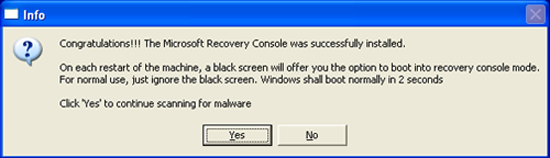
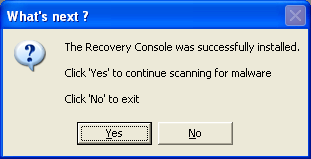
Once the Microsoft Windows Recovery Console is installed using ComboFix, you should see the following message:


Click on Yes, to continue scanning for malware.

When finished, it will produce a log for you. Please include the C:\ComboFix.txt in your next reply along with a fresh HijackThis log.

If you need help, see this link:
http://www.bleepingcomputer.com/combofix/how-to-use-combofix

Please reply with:-
  • Combofix log
  • New HJT log
Hi, all went w/o a hitch :).Below is the combo fix log and new hijack this log. Thanks!

ComboFix 09-10-04.01 - Owner 10/04/2009 20:12.1.2 - NTFSx86
Microsoft Windows XP Home Edition 5.1.2600.3.1252.1.1033.18.3367.2994 [GMT -4:00]
Running from: c:\documents and settings\[removed]\Desktop\Combo-Fix.exe
AV: Trend Micro Internet Security *On-access scanning enabled* (Updated) {7D2296BC-32CC-4519-917E-52E652474AF5}
FW: Trend Micro Personal Firewall *enabled* {3E790E9E-6A5D-4303-A7F9-185EC20F3EB6}

WARNING -THIS MACHINE DOES NOT HAVE THE RECOVERY CONSOLE INSTALLED !!
.

((((((((((((((((((((((((((((((((((((((( Other Deletions )))))))))))))))))))))))))))))))))))))))))))))))))
.

c:\documents and settings\All Users\Application Data\uboxykiz.pif
c:\documents and settings\All Users\Documents\xofykutu.inf
c:\documents and settings\Owner\Application Data\ecoqig.vbs
c:\documents and settings\Owner\Application Data\foxyzun.bin
c:\documents and settings\Owner\Application Data\molukivo.ban
c:\documents and settings\Owner\Application Data\ozoke.lib
c:\documents and settings\Owner\Application Data\tedude.lib
c:\documents and settings\Owner\Application Data\ubew.bat
c:\documents and settings\Owner\Application Data\ujykagi.sys
c:\documents and settings\Owner\Start Menu\Advanced Virus Remover.lnk
C:\mdnsq.exe
C:\p2hhr.bat
c:\program files\AdvancedVirusRemover
c:\program files\Common Files\vazoby.inf
c:\program files\Common Files\xymed._dl
c:\program files\Protection System
c:\program files\Protection System\core.cga
c:\program files\Protection System\help.ico
c:\windows\eniteboy.dll
c:\windows\jitofu.inf
c:\windows\kubutatiku.pif
c:\windows\mabed.dl
c:\windows\sabe.exe
c:\windows\system32\~.exe
c:\windows\system32\41.exe
c:\windows\system32\davafuhu.dll
c:\windows\system32\drivers\Sonyhcp.dll
c:\windows\system32\drivers\UACmexmupotmn.sys
c:\windows\system32\UACajxqulfvdo.dll
c:\windows\system32\UACaltepxgnpj.dll
c:\windows\system32\UACaomoyqqsgl.dll
c:\windows\system32\UACdsmlqgodjk.dll
c:\windows\system32\uacinit.dll
c:\windows\system32\UACnxxwfhjpqq.db
c:\windows\system32\uactmp.db
c:\windows\system32\UACyiyuhtitcs.dat
c:\windows\system32\UACypjbepnxft.dll
c:\windows\system32\vupila.exe
c:\windows\system32\wbem\proquota.exe
c:\windows\system32\wingenocx.dll
c:\windows\system32\winupdate.exe
c:\windows\system32\wisdstr.exe
c:\windows\towibokuwu.exe
c:\windows\ynifuresuj.vbs

c:\windows\system32\proquota.exe was missing
Restored copy from - c:\windows\ServicePackFiles\i386\proquota.exe

.
((((((((((((((((((((((((((((((((((((((( Drivers/Services )))))))))))))))))))))))))))))))))))))))))))))))))
.

-------\Service_UACd.sys
-------\Legacy_UACd.sys


((((((((((((((((((((((((( Files Created from 2009-09-05 to 2009-10-05 )))))))))))))))))))))))))))))))
.

2009-10-05 00:26 . 2008-04-14 00:12 50176 -c--a-w- c:\windows\system32\dllcache\proquota.exe
2009-10-05 00:26 . 2008-04-14 00:12 50176 ----a-w- c:\windows\system32\proquota.exe
2009-10-03 14:33 . 2009-10-03 14:33 -------- d-----w- c:\documents and settings\Owner\Application Data\Malwarebytes
2009-10-03 14:20 . 2009-09-10 18:54 38224 ----a-w- c:\windows\system32\drivers\mbamswissarmy.sys
2009-10-03 14:20 . 2009-10-03 14:20 -------- d-----w- c:\documents and settings\All Users\Application Data\Malwarebytes
2009-10-03 14:20 . 2009-09-10 18:53 19160 ----a-w- c:\windows\system32\drivers\mbam.sys
2009-10-03 13:58 . 2009-10-03 15:54 -------- d-----w- c:\program files\Malwarebytes' Anti-Malware
2009-10-02 00:43 . 2009-10-02 00:43 -------- d-----w- c:\documents and settings\Owner\Local Settings\Application Data\Mozilla
2009-09-28 23:57 . 2009-09-28 23:57 -------- d--h--w- c:\windows\PIF
2009-09-27 14:54 . 2009-09-29 00:30 1014172 ----a-w- c:\windows\system32\RegiCleanseUpdates.zip
2009-09-27 14:11 . 2009-09-27 14:11 -------- d-----w- c:\windows\system32\RegiCleanse
2009-09-27 14:11 . 1999-12-17 14:13 86016 ----a-w- c:\windows\unvise32.exe
2009-09-27 14:11 . 2009-10-02 23:54 -------- d-----w- c:\program files\RegiCleanse System Optimizer
2009-09-26 16:30 . 2009-05-22 04:58 287608 ----a-w- c:\windows\system32\drivers\Tmfilter.sys
2009-09-21 01:59 . 2009-09-21 01:59 -------- d-sh--w- c:\windows\system32\config\systemprofile\IETldCache
2009-09-20 18:12 . 2009-09-20 18:12 -------- d-----w- c:\documents and settings\Administrator\Local Settings\Application Data\{53C850E7-C2FC-47B3-B5D3-16BC9CAAFB49}
2009-09-20 18:09 . 2009-09-20 18:09 -------- d-sh--w- c:\documents and settings\Administrator\PrivacIE
2009-09-20 16:00 . 2009-09-20 16:00 10752 ----a-w- c:\windows\DCEBoot.exe
2009-09-20 15:56 . 2009-10-04 15:12 0 ----a-w- c:\windows\Xkeruraf.bin
2009-09-20 15:56 . 2009-10-04 23:58 120 ----a-w- c:\windows\Vlujipuzimocinex.dat
2009-09-20 15:56 . 2009-09-20 15:56 -------- d-----w- c:\documents and settings\Owner\Local Settings\Application Data\{3A7BA29C-BA4D-42FE-971B-A380559F8EB0}
2009-09-20 15:55 . 2009-09-20 15:55 17101 ----a-w- c:\windows\zuwiref.dat

.
(((((((((((((((((((((((((((((((((((((((( Find3M Report ))))))))))))))))))))))))))))))))))))))))))))))))))))
.
2009-10-03 15:53 . 2008-08-23 03:55 5072 ----a-w- c:\documents and settings\Owner\Application Data\wklnhst.dat
2009-10-03 15:36 . 2009-08-02 16:22 -------- d-----w- c:\documents and settings\Owner\Application Data\vlc
2009-10-03 13:50 . 2009-01-24 01:25 -------- d-----w- c:\program files\Vuze
2009-09-28 22:11 . 2008-08-03 14:33 -------- d-----w- c:\documents and settings\Owner\Application Data\AdobeUM
2009-09-26 16:21 . 2008-08-02 20:00 62904 -c--a-w- c:\documents and settings\Owner\Local Settings\Application Data\GDIPFONTCACHEV1.DAT
2009-09-20 22:06 . 2008-08-03 13:47 50192 ----a-w- c:\windows\system32\drivers\tmevtmgr.sys
2009-09-20 22:06 . 2008-08-03 13:47 50192 ----a-w- c:\windows\system32\drivers\tmactmon.sys
2009-09-20 22:06 . 2008-08-03 13:47 153104 ----a-w- c:\windows\system32\drivers\tmcomm.sys
2009-09-20 16:01 . 2009-09-20 16:01 19905 ----a-w- c:\documents and settings\Owner\Application Data\avydo.dat
2009-09-20 16:01 . 2009-09-20 16:01 15337 ----a-w- c:\program files\Common Files\egaxog.lib
2009-09-20 15:55 . 2009-06-20 15:55 44970 --sha-w- c:\windows\system32\vedilune.exe
2009-09-20 15:55 . 2009-09-20 15:55 18120 ----a-w- c:\program files\Common Files\icuhi.lib
2009-09-20 15:55 . 2009-09-20 15:55 11491 ----a-w- c:\program files\Common Files\sevuzez._sy
2009-09-20 15:50 . 2009-01-24 01:26 -------- d-----w- c:\documents and settings\Owner\Application Data\Azureus
2009-08-05 09:01 . 2002-12-12 05:14 204800 ----a-w- c:\windows\system32\mswebdvd.dll
2009-07-17 19:01 . 1980-01-01 00:00 58880 ----a-w- c:\windows\system32\atl.dll
2009-07-14 03:43 . 2008-08-02 18:51 286208 ----a-w- c:\windows\system32\wmpdxm.dll
2009-03-22 01:03 . 2009-03-22 01:03 1911328 -c--a-w- c:\program files\ImgBurn.rar
.

((((((((((((((((((((((((((((((((((((( Reg Loading Points ))))))))))))))))))))))))))))))))))))))))))))))))))
.
.
*Note* empty entries & legit default entries are not shown
REGEDIT4

[HKEY_CURRENT_USER\SOFTWARE\Microsoft\Windows\CurrentVersion\Run]
"ctfmon.exe"="c:\windows\system32\ctfmon.exe" [2008-04-14 15360]

[HKEY_LOCAL_MACHINE\SOFTWARE\Microsoft\Windows\CurrentVersion\Run]
"UserFaultCheck"="c:\windows\system32\dumprep 0 -u" [X]
"PRONoMgr.exe"="c:\program files\Intel\NCS\PROSet\PRONoMgr.exe" [2003-03-11 86016]
"HP Software Update"="c:\program files\HP\HP Software Update\HPWuSchd2.exe" [2004-09-13 49152]
"UfSeAgnt.exe"="c:\program files\Trend Micro\Internet Security\UfSeAgnt.exe" [2009-01-31 1398024]
"NvCplDaemon"="c:\windows\system32\NvCpl.dll" [2007-11-12 8523776]
"NvMediaCenter"="c:\windows\system32\NvMcTray.dll" [2007-11-12 81920]
"QuickTime Task"="c:\program files\QuickTime\qttask.exe" [2008-12-27 98304]
"NeroFilterCheck"="c:\windows\system32\NeroCheck.exe" [2001-07-09 155648]

c:\documents and settings\All Users\Start Menu\Programs\Startup\
HP Digital Imaging Monitor.lnk - c:\program files\HP\Digital Imaging\bin\hpqtra08.exe [2004-11-4 258048]
HP Image Zone Fast Start.lnk - c:\program files\HP\Digital Imaging\bin\hpqthb08.exe [2004-11-4 53248]
Microsoft Office.lnk - c:\program files\Microsoft Office\Office10\OSA.EXE [2001-2-13 83360]
Picture Package Menu.lnk - c:\program files\Sony Corporation\Picture Package\Picture Package Menu\SonyTray.exe [2008-12-28 151552]
Picture Package VCD Maker.lnk - c:\program files\Sony Corporation\Picture Package\Picture Package Applications\Residence.exe [2008-12-28 106496]

[HKEY_CURRENT_USER\software\microsoft\windows\currentversion\policies\explorer]
"ForceClassicControlPanel"= 1 (0x1)

[HKEY_USERS\.default\software\microsoft\windows\currentversion\policies\explorer]
"NoSetActiveDesktop"= 1 (0x1)
"NoActiveDesktopChanges"= 1 (0x1)

[HKEY_LOCAL_MACHINE\system\currentcontrolset\control\lsa]
Notification Packages REG_MULTI_SZ scecli adet420.dll

[HKEY_LOCAL_MACHINE\software\microsoft\security center\Monitoring\TrendAntiVirus]
"DisableMonitoring"=dword:00000001

[HKEY_LOCAL_MACHINE\software\microsoft\security center\Monitoring\TrendFirewall]
"DisableMonitoring"=dword:00000001

[HKLM\~\services\sharedaccess\parameters\firewallpolicy\standardprofile\AuthorizedApplications\List]
"%windir%\\system32\\sessmgr.exe"=
"%windir%\\Network Diagnostic\\xpnetdiag.exe"=
"c:\\WINDOWS\\system32\\mmc.exe"=

R2 tmevtmgr;tmevtmgr;c:\windows\system32\drivers\tmevtmgr.sys [8/3/2008 9:47 AM 50192]
R2 tmpreflt;tmpreflt;c:\windows\system32\drivers\tmpreflt.sys [2/16/2008 12:39 AM 36368]
R3 tmcfw;Trend Micro Common Firewall Service;c:\windows\system32\drivers\TM_CFW.sys [2/16/2008 12:39 AM 333328]
R3 TmPfw;Trend Micro Personal Firewall;c:\progra~1\TRENDM~1\INTERN~1\TmPfw.exe [8/3/2008 9:48 AM 488768]
R3 tmproxy;Trend Micro Proxy Service;c:\program files\Trend Micro\Internet Security\TmProxy.exe [8/3/2008 9:48 AM 648456]
S2 gupdate1c9f83192256a02;Google Update Service (gupdate1c9f83192256a02);"c:\program files\Google\Update\GoogleUpdate.exe" /svc --> c:\program files\Google\Update\GoogleUpdate.exe [?]
S3 MBAMSwissArmy;MBAMSwissArmy;c:\windows\system32\drivers\mbamswissarmy.sys [10/3/2009 10:20 AM 38224]

[HKEY_LOCAL_MACHINE\software\microsoft\active setup\installed components\>{60B49E34-C7CC-11D0-8953-00A0C90347FF}]
"c:\windows\system32\rundll32.exe" "c:\windows\system32\iedkcs32.dll",BrandIEActiveSetup SIGNUP
.
Contents of the 'Scheduled Tasks' folder
.
.
------- Supplementary Scan -------
.
uStart Page = hxxp://www.msn.com
mStart Page = hxxp://www.msn.com
uInternet Connection Wizard,ShellNext = hxxp://www.gatewaybiz.com/
DPF: Microsoft XML Parser for Java - file://c:\windows\Java\classes\xmldso.cab
FF - ProfilePath - c:\documents and settings\Owner\Application Data\Mozilla\Firefox\Profiles\py6l8vp7.default\
FF - plugin: c:\program files\Java\j2re1.4.2\bin\NPJava11.dll
FF - plugin: c:\program files\Java\j2re1.4.2\bin\NPJava12.dll
FF - plugin: c:\program files\Java\j2re1.4.2\bin\NPJava13.dll
FF - plugin: c:\program files\Java\j2re1.4.2\bin\NPJava14.dll
FF - plugin: c:\program files\Java\j2re1.4.2\bin\NPJava32.dll
FF - plugin: c:\program files\Java\j2re1.4.2\bin\NPJPI142.dll
FF - plugin: c:\program files\Java\j2re1.4.2\bin\NPOJI610.dll
FF - HiddenExtension: XULRunner: {3A7BA29C-BA4D-42FE-971B-A380559F8EB0} - c:\documents and settings\Owner\Local Settings\Application Data\{3A7BA29C-BA4D-42FE-971B-A380559F8EB0}
FF - HiddenExtension: XULRunner: {53C850E7-C2FC-47B3-B5D3-16BC9CAAFB49} - c:\documents and settings\Administrator\Local Settings\Application Data\{53C850E7-C2FC-47B3-B5D3-16BC9CAAFB49}
.
- - - - ORPHANS REMOVED - - - -

BHO-{edb510fb-305c-a090-64fd-8288a02a829d} - c:\windows\eniteboy.dll
WebBrowser-{3041D03E-FD4B-44E0-B742-2D9B88305F98} - (no file)
HKLM-Run-Crutopit - c:\windows\eniteboy.dll


**************************************************************************

catchme 0.3.1398 W2K/XP/Vista - rootkit/stealth malware detector by Gmer, http://www.gmer.net
Rootkit scan 2009-10-04 20:52
Windows 5.1.2600 Service Pack 3 NTFS

scanning hidden processes ...

scanning hidden autostart entries ...

scanning hidden files ...

scan completed successfully
hidden files: 0

**************************************************************************
.
--------------------- LOCKED REGISTRY KEYS ---------------------

[HKEY_USERS\S-1-5-21-1960408961-448539723-725345543-1003\Software\Microsoft\SystemCertificates\AddressBook*]
@Allowed: (Read) (RestrictedCode)
.
--------------------- DLLs Loaded Under Running Processes ---------------------

- - - - - - - > 'lsass.exe'(1204)
c:\windows\adet420.dll
c:\windows\system32\WININET.dll

- - - - - - - > 'explorer.exe'(3900)
c:\windows\system32\WININET.dll
c:\windows\system32\ieframe.dll
c:\windows\system32\webcheck.dll
c:\windows\system32\WPDShServiceObj.dll
c:\windows\system32\PortableDeviceTypes.dll
c:\windows\system32\PortableDeviceApi.dll
c:\windows\adet420.dll
.
------------------------ Other Running Processes ------------------------
.
c:\windows\system32\nvsvc32.exe
c:\program files\Trend Micro\Internet Security\SfCtlCom.exe
c:\program files\Trend Micro\BM\TMBMSRV.exe
c:\windows\system32\rundll32.exe
c:\program files\HP\Digital Imaging\bin\hpqgalry.exe
c:\windows\system32\taskmgr.exe
.
**************************************************************************
.
Completion time: 2009-10-05 20:59 - machine was rebooted
ComboFix-quarantined-files.txt 2009-10-05 00:58

Pre-Run: 19,023,355,904 bytes free
Post-Run: 19,154,704,896 bytes free

221 --- E O F --- 2009-09-10 21:45

Logfile of Trend Micro HijackThis v2.0.2
Scan saved at 9:16:22 PM, on 10/4/2009
Platform: Windows XP SP3 (WinNT 5.01.2600)
MSIE: Internet Explorer v8.00 (8.00.6001.18702)
Boot mode: Normal

Running processes:
C:\windows\System32\smss.exe
C:\windows\system32\winlogon.exe
C:\windows\system32\services.exe
C:\windows\system32\lsass.exe
C:\windows\system32\svchost.exe
C:\windows\System32\svchost.exe
C:\windows\system32\spoolsv.exe
C:\windows\system32\nvsvc32.exe
C:\Program Files\Trend Micro\Internet Security\SfCtlCom.exe
C:\windows\System32\svchost.exe
C:\Program Files\Trend Micro\BM\TMBMSRV.exe
C:\PROGRA~1\TRENDM~1\INTERN~1\TmPfw.exe
C:\Program Files\Trend Micro\Internet Security\TmProxy.exe
C:\Program Files\Intel\NCS\PROSet\PRONoMgr.exe
C:\Program Files\HP\HP Software Update\HPWuSchd2.exe
C:\Program Files\Trend Micro\Internet Security\UfSeAgnt.exe
C:\windows\system32\RUNDLL32.EXE
C:\Program Files\QuickTime\qttask.exe
C:\Program Files\HP\Digital Imaging\bin\hpqtra08.exe
C:\Program Files\Sony Corporation\Picture Package\Picture Package Menu\SonyTray.exe
C:\Program Files\HP\Digital Imaging\bin\hpqgalry.exe
C:\windows\system32\ctfmon.exe
C:\windows\explorer.exe
C:\windows\system32\notepad.exe
C:\Program Files\Mozilla Firefox\firefox.exe
C:\Documents and Settings\Owner\Desktop\HijackThis.exe

R1 - HKLM\Software\Microsoft\Internet Explorer\Main,Default_Page_URL = http://go.microsoft.com/fwlink/?LinkId=69157
R1 - HKLM\Software\Microsoft\Internet Explorer\Main,Default_Search_URL = http://go.microsoft.com/fwlink/?LinkId=54896
R1 - HKLM\Software\Microsoft\Internet Explorer\Main,Search Page = http://go.microsoft.com/fwlink/?LinkId=54896
R1 - HKCU\Software\Microsoft\Internet Connection Wizard,ShellNext = http://www.gatewaybiz.com/
R3 - URLSearchHook: Yahoo! Toolbar - {EF99BD32-C1FB-11D2-892F-0090271D4F88} - C:\Program Files\Yahoo!\Companion\Installs\cpn\yt.dll
O2 - BHO: &Yahoo! Toolbar Helper - {02478D38-C3F9-4efb-9B51-7695ECA05670} - C:\Program Files\Yahoo!\Companion\Installs\cpn\yt.dll
O3 - Toolbar: Yahoo! Toolbar - {EF99BD32-C1FB-11D2-892F-0090271D4F88} - C:\Program Files\Yahoo!\Companion\Installs\cpn\yt.dll
O4 - HKLM\..\Run: [PRONoMgr.exe] C:\Program Files\Intel\NCS\PROSet\PRONoMgr.exe
O4 - HKLM\..\Run: [HP Software Update] "C:\Program Files\HP\HP Software Update\HPWuSchd2.exe"
O4 - HKLM\..\Run: [UfSeAgnt.exe] "C:\Program Files\Trend Micro\Internet Security\UfSeAgnt.exe"
O4 - HKLM\..\Run: [NvCplDaemon] RUNDLL32.EXE C:\WINDOWS\system32\NvCpl.dll,NvStartup
O4 - HKLM\..\Run: [NvMediaCenter] RUNDLL32.EXE C:\WINDOWS\system32\NvMcTray.dll,NvTaskbarInit
O4 - HKLM\..\Run: [QuickTime Task] "C:\Program Files\QuickTime\qttask.exe" -atboottime
O4 - HKLM\..\Run: [NeroFilterCheck] C:\WINDOWS\system32\NeroCheck.exe
O4 - HKLM\..\Run: [UserFaultCheck] %systemroot%\system32\dumprep 0 -u
O4 - Global Startup: HP Digital Imaging Monitor.lnk = C:\Program Files\HP\Digital Imaging\bin\hpqtra08.exe
O4 - Global Startup: HP Image Zone Fast Start.lnk = C:\Program Files\HP\Digital Imaging\bin\hpqthb08.exe
O4 - Global Startup: Microsoft Office.lnk = C:\Program Files\Microsoft Office\Office10\OSA.EXE
O4 - Global Startup: Picture Package Menu.lnk = ?
O4 - Global Startup: Picture Package VCD Maker.lnk = ?
O9 - Extra button: (no name) - {08B0E5C0-4FCB-11CF-AAA5-00401C608501} - C:\WINDOWS\System32\msjava.dll
O9 - Extra 'Tools' menuitem: Sun Java Console - {08B0E5C0-4FCB-11CF-AAA5-00401C608501} - C:\WINDOWS\System32\msjava.dll
O9 - Extra button: Real.com - {CD67F990-D8E9-11d2-98FE-00C0F0318AFE} - C:\WINDOWS\System32\Shdocvw.dll
O9 - Extra button: (no name) - {e2e2dd38-d088-4134-82b7-f2ba38496583} - C:\windows\Network Diagnostic\xpnetdiag.exe
O9 - Extra 'Tools' menuitem: @xpsp3res.dll,-20001 - {e2e2dd38-d088-4134-82b7-f2ba38496583} - C:\windows\Network Diagnostic\xpnetdiag.exe
O16 - DPF: {01113300-3E00-11D2-8470-0060089874ED} (Support.com Configuration Class) - http://supportcenter.rr.com/sdccommon/download/tgctlcm.cab
O16 - DPF: {0CCA191D-13A6-4E29-B746-314DEE697D83} (Facebook Photo Uploader 5 Control) - http://upload.facebook.com/controls/2008.10.10_v5.5.8/FacebookPhotoUploader5.cab
O23 - Service: Google Update Service (gupdate1c9f83192256a02) (gupdate1c9f83192256a02) - Unknown owner - C:\Program Files\Google\Update\GoogleUpdate.exe (file missing)
O23 - Service: Intel NCS NetService (NetSvc) - Intel(R) Corporation - C:\Program Files\Intel\NCS\Sync\NetSvc.exe
O23 - Service: NVIDIA Display Driver Service (NVSvc) - NVIDIA Corporation - C:\windows\system32\nvsvc32.exe
O23 - Service: Pml Driver HPZ12 - HP - C:\WINDOWS\System32\HPZipm12.exe
O23 - Service: Trend Micro Central Control Component (SfCtlCom) - Trend Micro Inc. - C:\Program Files\Trend Micro\Internet Security\SfCtlCom.exe
O23 - Service: SupportSoft RemoteAssist - SupportSoft, Inc. - C:\Program Files\Common Files\supportsoft\bin\ssrc.exe
O23 - Service: Trend Micro Unauthorized Change Prevention Service (TMBMServer) - Trend Micro Inc. - C:\Program Files\Trend Micro\BM\TMBMSRV.exe
O23 - Service: Trend Micro Personal Firewall (TmPfw) - Trend Micro Inc. - C:\PROGRA~1\TRENDM~1\INTERN~1\TmPfw.exe
O23 - Service: Trend Micro Proxy Service (tmproxy) - Trend Micro Inc. - C:\Program Files\Trend Micro\Internet Security\TmProxy.exe

--
End of file - 5327 bytes
1. Is there some reason you did not install the Recovery Console. With malware infections being as they are today, it's strongly recommended to have the Windows Recovery Console pre-installed on your machine before doing any malware removal. The Windows Recovery Console will allow you to boot up into a special recovery (repair) mode. This allows us to more easily help you should your computer have a problem after an attempted removal of malware. It is a simple procedure that will only take a few moments of your time.
  • Go to Microsoft's website => http://support.microsoft.com/kb/310994
  • Scroll down to Step 1 (where it says: Step 1: Download the Setup disk program), & select the download that's appropriate for your Operating System. Download the file & save it as it's originally named.
    Note: If you have SP3, use the SP2 package.
  • Save the file to the desktop of your computer
  • Disable your AntiVirus and AntiSpyware applications, usually via a right click on the System Tray icon. They may otherwise interfere with our tools
  • Drag the setup package onto ComboFix.exe and drop it
  • Follow the prompts to start ComboFix and when prompted, agree to the End-User License Agreement to install the Microsoft Recovery Console
  • At the next prompt, click No to exit


2. Please go to Virus Total <http://www.virustotal.com/> or Jotti
and upload c:\windows\adet420.dll
for scanning.

For Virus Total
1. Please copy and paste c:\windows\adet420.dll
in the text box next to the Browse button.
2. Click on Send File.

For Jotti
1. Please copy and paste c:\windows\adet420.dll
in the text box next to the Browse button.
2. Click on Submit.


Please post back the results of the scan in your next post.
Hi, My fault for not downloading the Windows Recovery Console. After I was already into combofix, I couldn't remember if you said to download it or not so I did not-being on the safe side. Of course I didn't realize I was going to be disconnected from the internet when starting the combofix so I was unable to refer back to your post. ;) . But, I did drop the setup package onto combofix.exe and started combofix. I got an Error:Boot partition cannot be enumerated correctly. So the Recovery Console was not installed. What's next?
How did you go with the file that was to be uploaded? do you have the results for it?

Delete the version of Combofix that you have from your desktop and re –download as explained earlier.

IMPORTANT Make sure you disable your Trend Micro and virus and the Trend Micro Firewall before you do.

Ensure the recovery console is installed, this is very important.
Hi, still receiving "Error: Boot Partition not enumerated correctly" after trying to install Microsoft Windows Recovery Console through Combofix. Do you think it may have something to do with my system being XP SP3? The reason I ask is because I went to http://www.download.microsoft.com to try and install the recovery console (see below). When going into the command prompt, I type C:\XPSP2 and receive a message that it is not recognized as an internal or external command, operable program or batch file.
Am I getting ahead of myself or is there something else you have in mind for me to do?

Method 1: Use the /integrate switch
Create two new folders on the computer. For example, create the C:\XPCD\i386 and C:\XPSP2 folders.
Copy the files and folders in the i386 folder from the original Windows XP CD to C:\XPCD\i386.
Download the Windows XP SP2 network installation package to C:\XPSP2. To download the installation package, visit the following Microsoft Web site:
http://www.microsoft.com/downloads/details.aspx?FamilyID=049c9dbe-3b8e-4f30-8245-9e368d3cdb5a&DisplayLang=en (http://www.microsoft.com/downloads/details.aspx?FamilyID=049c9dbe-3b8e-4f30-8245-9e368d3cdb5a&DisplayLang=en)

Note If the operating system uses a language other than English, change the language to English before you download. The Change Language option is listed in the middle of the download page.
Click Start, click Run, type cmd, and then click OK.
At the command prompt, type cd C:\XPSP2, and then press ENTER.
Type WindowsXP-KB835935-SP2-ENU.exe /integrate:C:\XPCD, and then press ENTER.
The Windows Service Pack 2 Setup Wizard starts and notifies you that Windows XP SP2 files are being integrated into the Windows XP installation folder. Follow the instructions in the Windows Service Pack 2 Setup Wizard.
Click OK when you see the dialog box that indicates that the integrated installation has completed successfully.
After you complete the integration process, run an in-place upgrade to Windows XP SP2. To do this, click Start, click Run, type C:\XPCD\i386\winnt32, and then click OK.
Lets check the boot.ini file

Download BootCheck.exe to your desktop.
  • Double click BootCheck.exe to run the check
  • When complete, a Notepad window will open with some text in it
  • Save the Notepad file to your desktop as BootCheck.txt
  • Copy the contents of BootCheck.txt and post it in your next reply