Scolabar
MRU Honors Grad Emeritus
Hi jillo1013,
I am sorry to hear about your injury. I hope the damage to your finger isn't too severe and wish you a speedy recovery.
In the meantime I will try to keep the typing you need to do to a minimum.
Please Note: I would be grateful if you could refrain from running any tools/utilites and installing/uninstalling any software unless I request you to do so until the computer has been declared to be clear of infection. Otherwise the cleanup process is likely to long-winded at best, if not fruitless.
Again, please remember to read the instructions below carefully before executing and perform the steps, in the order given.
If you have any questions about or problems executing these instructions, <STOP> do not proceed, post back with the question or problem before going any further.
Before we proceed please make sure any open programs are closed.
Step 1:
Avast! Scan Reports
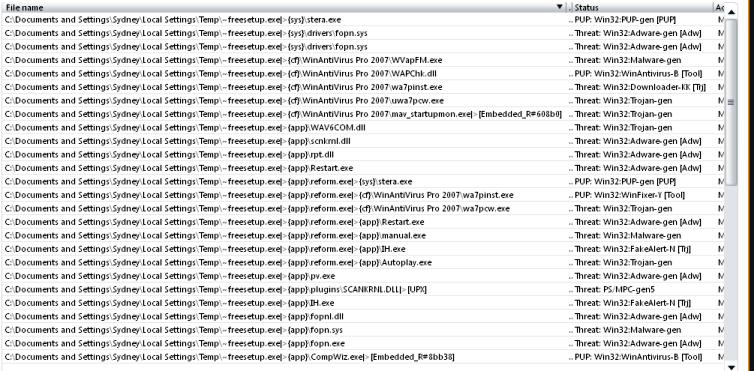
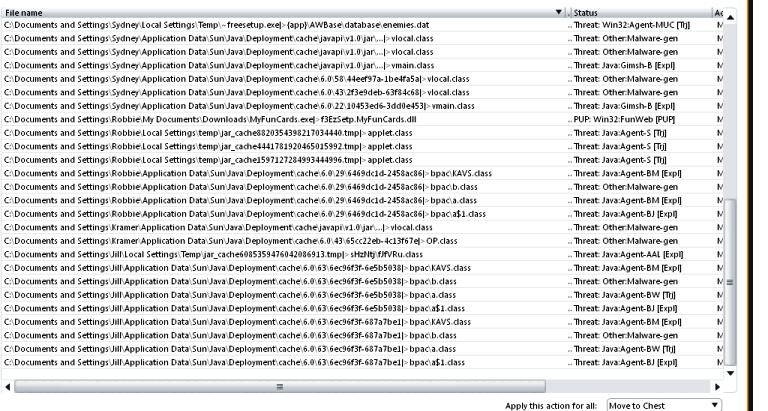
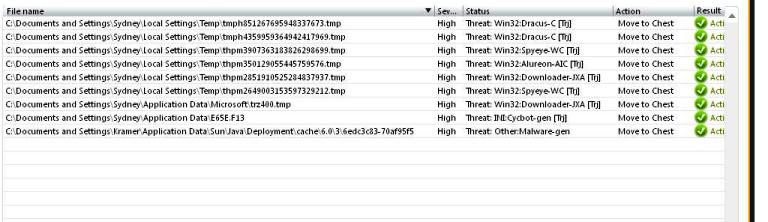
Let's get screen captures of those Avast boot and full scan reports:
For each Avast scan report, please complete the list of instructions below:
Note: Long scan reports will require multiple screen captures accomplished by scrolling through and capturing the report in sections.
Step 2:
TDSSKiller Log
Then Copy and Paste the entire contents of the TDSSKiller_version_dd.mm.yyyy_hh.mm.ss_log.txt file into your next reply.
Step 3:
Include in Next Post
Scolabar
---------------------------------------------------
No Reply Within 3 Days Will Result In Your Topic Being Closed
I am sorry to hear about your injury. I hope the damage to your finger isn't too severe and wish you a speedy recovery.
In the meantime I will try to keep the typing you need to do to a minimum.
Please Note: I would be grateful if you could refrain from running any tools/utilites and installing/uninstalling any software unless I request you to do so until the computer has been declared to be clear of infection. Otherwise the cleanup process is likely to long-winded at best, if not fruitless.
Again, please remember to read the instructions below carefully before executing and perform the steps, in the order given.
If you have any questions about or problems executing these instructions, <STOP> do not proceed, post back with the question or problem before going any further.
Before we proceed please make sure any open programs are closed.
Step 1:
Avast! Scan Reports
Let's get screen captures of those Avast boot and full scan reports:
For each Avast scan report, please complete the list of instructions below:
Note: Long scan reports will require multiple screen captures accomplished by scrolling through and capturing the report in sections.
- Open the scan report (- scroll down the report to make sure all entries are captured as required).
- Press the key called Print Screen (sometimes named PRTSCR) usually located on the top right-hand side of your keyboard.
- Click on Start > Run.
- In the text entry box type:
- mspaint
- Then click on the OK button. Ms Paint will now open.
- Select Edit > Paste to paste the screen capture into the MS Paint window.
- Select the File > Save As... option.
- Save file as <imagename>.jpg to the Desktop.
- Save as file type JPEG (*.JPG, *.JPEG...) to keep the file size to a minimum.
- Example file names:
- avastbs1.jpg <-- boot scan image 1
avastbs2.jpg <-- boot scan image 2
etc
avastfs1.jpg <-- full scan image 1
etc - Please then either:
- Upload the images to ImageShack. Then Copy and Paste the url links generated into your next post.
- or
- Add the .jpg files as attachments to your next reply.
- Upload the images to ImageShack. Then Copy and Paste the url links generated into your next post.
Step 2:
TDSSKiller Log
"jillo1013" wrote:The tdsskiller scan reported no errors and what report it did show was not copyable.Please locate and open the file C:\TDSSKiller_version_dd.mm.yyyy_hh.mm.ss_log.txt in Notepad (- double-clicking on the file should automatically open the file in Notepad).
Then Copy and Paste the entire contents of the TDSSKiller_version_dd.mm.yyyy_hh.mm.ss_log.txt file into your next reply.
Step 3:
Include in Next Post
- Did you have any problems carrying out the instructions?
- Screen Captures of Avast! Anti-Virus Scan Reports.
- TDSSKiller_version_dd.mm.yyyy_hh.mm.ss_log.txt.
Scolabar
---------------------------------------------------
No Reply Within 3 Days Will Result In Your Topic Being Closed